How to Repurpose Podcast Clips, Voice Memos, and Automate Social Content: One System for Founders
Turn one recording into clips, carousels, and scheduled posts. Use this founder workflow to repurpose podcast clips, voice memos, and social content fast.

Most founders treat a podcast episode as one piece of content. They publish it, drop a link on LinkedIn, and move on. That's one output from an asset that could produce fifteen, and the fix is learning to repurpose podcast clips (and the voice memos sitting on your phone) through a single system instead of starting from scratch every week.
Voice memos have the same problem, only quieter. You record a sharp observation while walking the dog or waiting at a gate. It sits in an app. Nobody hears it. Then on Wednesday you spend an hour staring at a blank editor trying to write a LinkedIn post about... the exact thing you already said out loud.
So the honest diagnosis is that you don't have a content problem. You have a conversion problem, and that one is fixable.
Content repurposing is taking something you already recorded, a podcast episode, a voice memo, a meeting, and reshaping it into native posts for each platform instead of writing new content from a blank page. The expertise is there. What's missing is the machinery that converts one capture into a week of output, automatically.
This guide covers that machinery. It has three entry points:
- Podcast clips: pulling the highest-signal moments and turning them into short video, text posts, and carousels
- Voice memos: going from a 90-second audio note to a multi-slide carousel in about 5 minutes
- Automated distribution: connecting those outputs to a publishing routine that runs without you babysitting it
All three feed the same pipeline. Learn one and the other two follow the same logic.
The timing matters because the audience moved. 80% of Americans age 12+ have listened to or watched a podcast, an all-time high in Edison Research's Infinite Dial 2026, and 57% have both listened to and watched one. YouTube alone reports more than 1 billion monthly viewers of podcast content. People are watching podcasts now, in feeds, in pieces. If your episode only lives as a full-length upload, most of that audience never sees it.
What does one capture turn into?
Before the entry points, get the underlying logic straight. Every input in this system, whether a podcast clip, a voice memo, or a meeting recording, produces the same categories of output. The input changes. The output map doesn't.
| Output format | Best platform | Ideal length |
|---|---|---|
| Short-form video clip | LinkedIn, TikTok, Instagram Reels, YouTube Shorts | 30 to 90 seconds |
| Text post (hook + insight) | LinkedIn, X, Threads | 150 to 300 words |
| Multi-slide carousel | LinkedIn, Instagram | 6 to 10 slides |
| Quote image | Instagram, X, LinkedIn | Single image |
| Infographic | LinkedIn, Instagram, Pinterest | One framework per graphic |
| Audiogram-style short video | X, LinkedIn | 30 to 60 seconds |
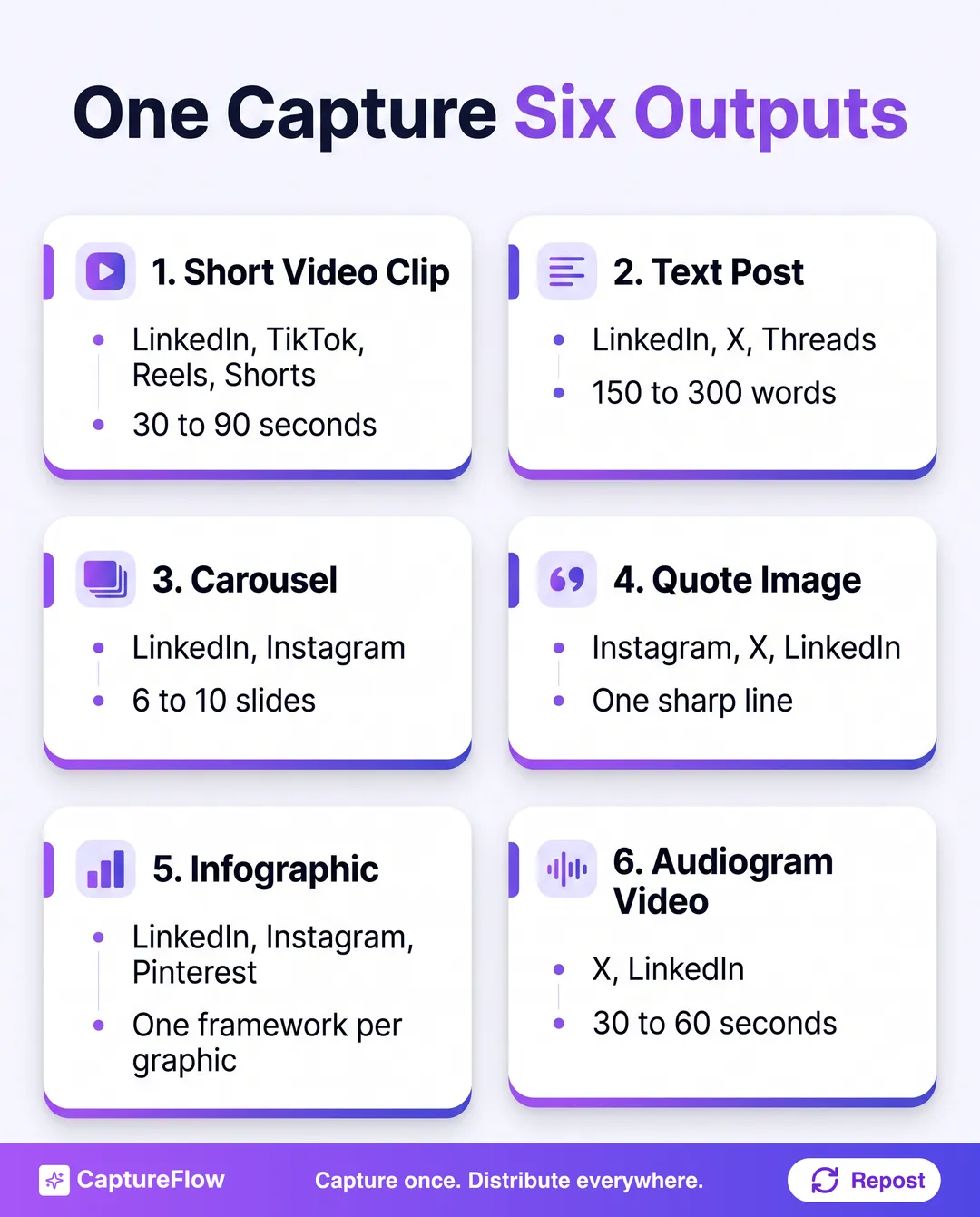 One capture, six output formats. The input changes, the map stays the same.
A 40-minute episode holds enough raw material to fill every row of that table, several times over. A 90-second voice memo can fill three rows on its own. The constraint was never the content. It's having a system that extracts and formats it without eating a full production day.
The capture-first ruleCapture the idea in its rawest form first. Refine and format second. Distribute third. Reverse that order and you lose hours.
That three-step loop (capture, create, distribute) is the backbone of everything below. If you want the long version of the philosophy, it lives in the capture-first content system.
How to repurpose podcast clips, step by step
Most podcast repurposing advice stops at "clip your best moments." That's a task. A system also tells you what the clip becomes, where it goes, and when. Here's the full workflow from finished episode to distributed content. (For the whole-episode version with a 30-asset breakdown, see how to repurpose a podcast into 30 posts.)
Step 1: Find the clip-worthy moments before you edit anything
Don't rewatch the episode hunting for good bits. That takes as long as recording it did. Work from a transcript instead: upload the audio or video to a tool that auto-transcribes and indexes it, then scan the text for four things.
- Contrarian statements. "Most people think X, but what we saw was Y."
- Specific numbers or frameworks. Anything with a percentage, a named system, or a defined process.
- Emotional peaks. The moment the conversation shifted, got tense, or someone genuinely laughed.
- Quotable one-liners. A single sentence that stands up without context.
Those four produce clips that travel. Everything else is filler, and that's fine; filler is what makes a conversation feel like a conversation. It just doesn't belong in the feed.
Step 2: Match each moment to a format
Not every good moment should become a video. Some land harder as text. The decision rule:
- If the delivery carries the point (tone, timing, a pause), cut a short video. Aim for under 90 seconds on LinkedIn and under 60 on TikTok and Reels.
- If the idea is complex and needs framing, write a text post with the quote as the hook and the explanation in the body.
- If it's a framework or step-by-step, build a carousel, one point per slide.
- If it's a single sharp observation, make a quote image or a short standalone post.
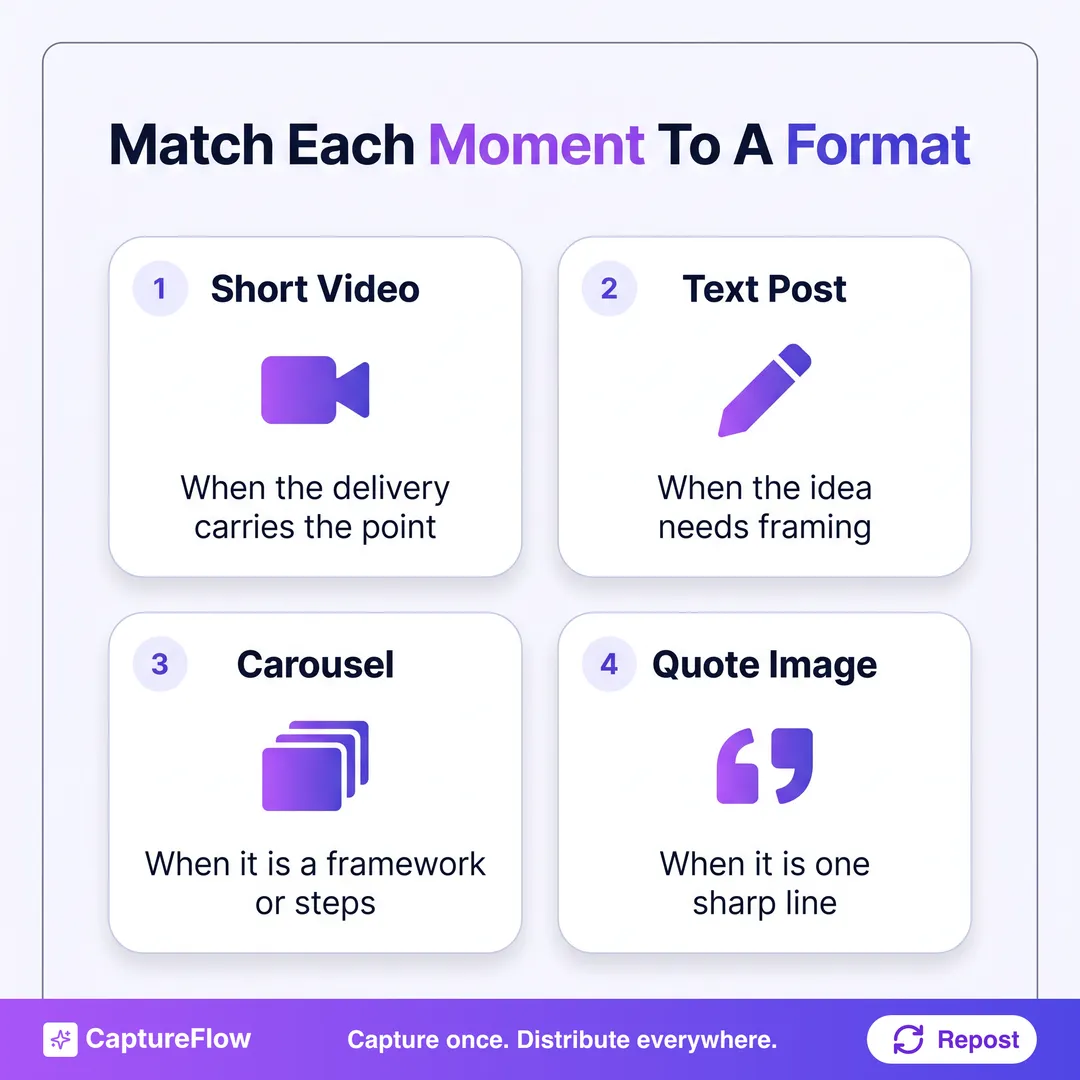 The four-way decision rule for every podcast moment you pull.
A platform note: YouTube now counts vertical videos up to three minutes long as Shorts. Allowed isn't the same as advisable, though. For a podcast clip with no visual payoff, shorter almost always holds attention better. Match the cut to the platform before you export. If carousels and clips are the two formats you care about most, this focused walkthrough goes deeper on both.
Step 3: Write the native caption
The caption does more work than the clip does.
A video posted with no caption, or with a limp "new episode out now!", wastes the clip. Pair it with a real text post built like this:
- Hook line. First line, no warm-up, drops the reader straight into the insight.
- One sentence of context. Why it matters, who said it, what prompted it.
- The payoff. The takeaway, or the question it raises.
- A soft CTA. Full episode in the comments, or a direct question to the audience.
Speed matters here too. Post teaser clips while the episode is still fresh, ideally within a day of release, and give yourself a target: under 30 minutes from upload to scheduled post. Our guide to writing LinkedIn hooks covers that first line in detail.
Step 4: Upload natively, not as a link
Sharing a YouTube link on LinkedIn is the most common mistake I see founders make with podcast content. Feeds are built to keep people on the platform, so a post that sends them elsewhere usually gets less distribution than one that doesn't (here's how the LinkedIn algorithm treats that). Upload the clip file directly to each platform. Put the episode link in the comments if you must.
How do you turn a voice memo into a carousel?
Voice memos are the most underused asset a founder has. You already record them. You already have opinions worth sharing. The gap is between "audio note on your phone" and "published carousel on LinkedIn," and it's smaller than it looks.
Why voice memos work as a starting point
A memo captures how you actually think, not how you think you should sound in writing. That's exactly what performs. It's also faster: a Stanford study found speech input was about three times faster than typing on a phone, with fewer errors.
Yes, raw audio is messy. It rambles, it has filler, it circles back. Fine. Structure comes in the conversion step, not the capture step. A 90-second memo, properly converted, holds enough for a 7-slide carousel. The audio is the brief. The carousel is the deliverable.
Step 1: Record without editing yourself
This is where most founders quit. They stop mid-sentence to restart. They try to sound polished. They speak in paragraphs.
Don't. Say the idea, say why it matters, say what most people get wrong, say what you'd do instead. That's already the carousel structure; you just said it out loud. If you need a prompt before hitting record, try this one:
"What's the one thing I believe about [topic] that most people in my industry get wrong, and what would I tell a smart friend to do instead?"
Answering that takes 60 to 120 seconds. That's your memo. (More prompts like it live in our guide to turning voice notes into content.)
Step 2: Transcribe and pull out the structure
Upload the memo and let it transcribe. The transcript will look rough. Normal. From it, pull four things:
- The core claim, the one sentence that captures the whole idea
- Two or three supporting points or reasons
- The contrast: what most people do vs. what you recommend
- The takeaway, what the reader should actually do
Those four map straight onto slides.
Step 3: Build the carousel
A carousel that works on LinkedIn or Instagram follows a pretty consistent architecture:
| Slide | Purpose | Content |
|---|---|---|
| 1 (Cover) | Stop the scroll | The bold or contrarian claim from the memo |
| 2 | Context | Why this matters, who it affects |
| 3 to 6 | Body | One point per slide, short headline plus one sentence |
| 7 | Contrast | What most people do vs. your recommendation |
| 8 (Final) | CTA | Follow for more, save this, or a direct question |
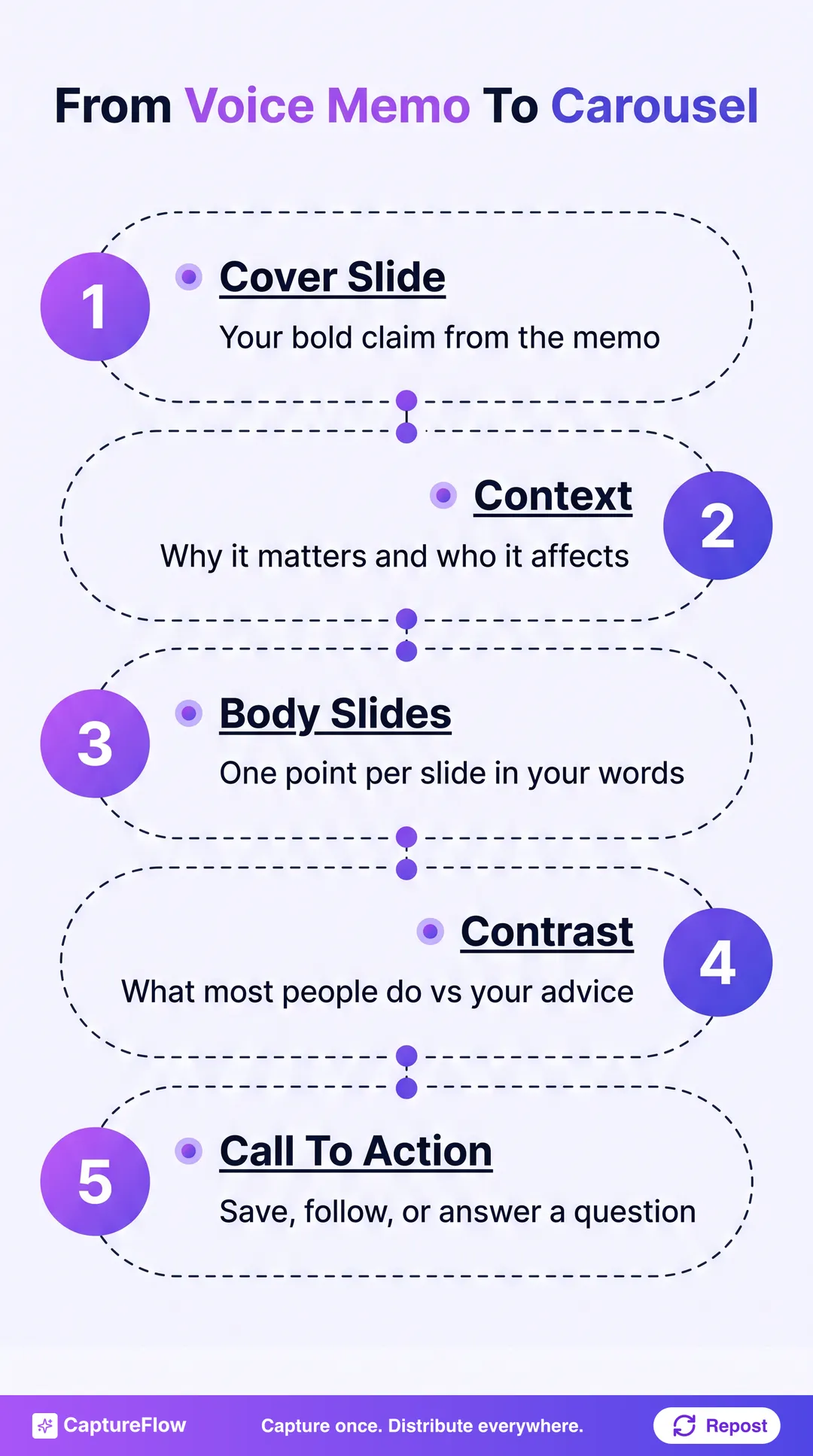 The carousel architecture. Every slot comes straight from something you said in the memo.
One idea per slide. If a slide needs two sentences to explain, split it. Carousels reward clarity over completeness. The full design side is in how to make a LinkedIn carousel.
Step 4: Keep your voice on the slides
This is where most AI-generated carousels fall flat. The copy reads like a summary, not like the person who recorded the memo.
Go back to the transcript and lift your exact phrasing. If you said "the problem is everyone's optimizing for the wrong number," that line goes on a slide verbatim. It does not become "many professionals focus on incorrect KPIs." Your voice is already in the transcript, so use it.
The time benchmark: record for 90 to 120 seconds, let transcription and drafting run automatically, spend 2 to 3 minutes adjusting tone, then 1 to 2 minutes scheduling. That's about 5 minutes of your time. The bottleneck is always the review, so trust the first draft more than your instinct tells you to.
Automating social media content distribution
Creating the content is half the job. Plenty of founders who repurpose well still burn hours copying posts into a scheduler, reformatting for each platform, and deciding what goes out on which day. That friction is what kills consistency by month three.
Scheduling vs. automation
Scheduling is queuing posts you already wrote. It saves you the click, not the work.
Automation is different. The system generates the platform-native version of each output, assigns it to the right channel, and queues it without you touching each post. The goal is to capture once and have everything after that happen on its own, which is a different project from scheduling faster.
Step 1: Set up a weekly routine
Automation starts with a routine, a recurring set of jobs the system runs for you. A basic founder week:
- Monday: import this week's episode or voice memo captures
- Tuesday: AI drafts text posts, carousels, and clip captions from the imports
- Wednesday: you review and approve (target: under 15 minutes)
- Thursday and Friday: posts go live across platforms on schedule
The routine kills the daily "what do I post today?" question. The system answers it. You only answer "does this sound like me?" In CaptureFlow this is literally a feature called Routines.
Step 2: Set platform rules once
A LinkedIn post that works is not a tweet. Automation only works if the system knows the rules for each channel, so set them once:
| Platform | Format rule | Length target |
|---|---|---|
| Hook on line 1, no hashtag stuffing, native video upload | 150 to 300 words | |
| X | Short, punchy, first person, numbers in the hook | Under 280 characters per post |
| Threads | Conversational, a bit looser than X, no hard CTA | 150 to 250 characters |
| Caption supports the visual, CTA in the last line | 125 to 150 words | |
| TikTok | Hook in the first 2 seconds, the video leads, caption is secondary | Caption under 100 words |
| YouTube Shorts | Title is the hook, description adds context | Up to 3 minutes allowed, shorter usually holds better |
Every output should then auto-format to wherever it's headed. That's what cross-platform publishing is for.
Step 3: Train the system on your voice
Generic AI output sounds generic. The fix isn't a cleverer prompt; it's feeding the system your actual writing:
- Your 20 to 30 best-performing posts (the ones that got real comments, not just likes)
- Your point of view: who you're for, what you believe, where you disagree with your industry
- Your vocabulary, the phrases you use and the ones you'd never say
An agent trained on that drafts posts that sound like you wrote them. That's the whole difference between automation that needs heavy editing and automation that needs a quick read. We wrote up the process in how to train AI on your brand voice.
Step 4: Close the loop with analytics
Automation without feedback is a black box. Each week, look at which posts drove the most comments, saves, or clicks, and feed that back. Over a few months the system learns which formats, topics, and hooks work for your audience and weights future drafts toward them.
For B2B founders, the effort pays because the audience is clearly there. The 2025 Edelman and LinkedIn B2B Thought Leadership report found 64% of target buyers spend more than an hour a week consuming thought leadership, and 56% use it when evaluating vendors. An hour a week is a lot of attention to leave to competitors because you didn't have time to post.
The full weekly workflow, start to finish
The three entry points aren't separate workflows. They're inputs into one system. Here's what a week looks like when you run all three.
Sunday or Monday: capture (10 to 15 minutes)
- Record one voice memo on whatever's been on your mind
- Drop the episode file or URL into your content tool
- Flag any meeting recordings or interviews worth mining (here's how to handle those)
Tuesday: create (automated, plus a 15-minute review)
- Everything gets transcribed
- AI pulls the strongest moments and drafts text posts, carousel slides, and clip captions
- You review, fix tone where needed, and approve the queue
Wednesday through Friday: distribute (automated)
- Posts go live across LinkedIn, X, Threads, Instagram, and TikTok
- Clips upload natively to each platform
- Carousels publish on LinkedIn and Instagram
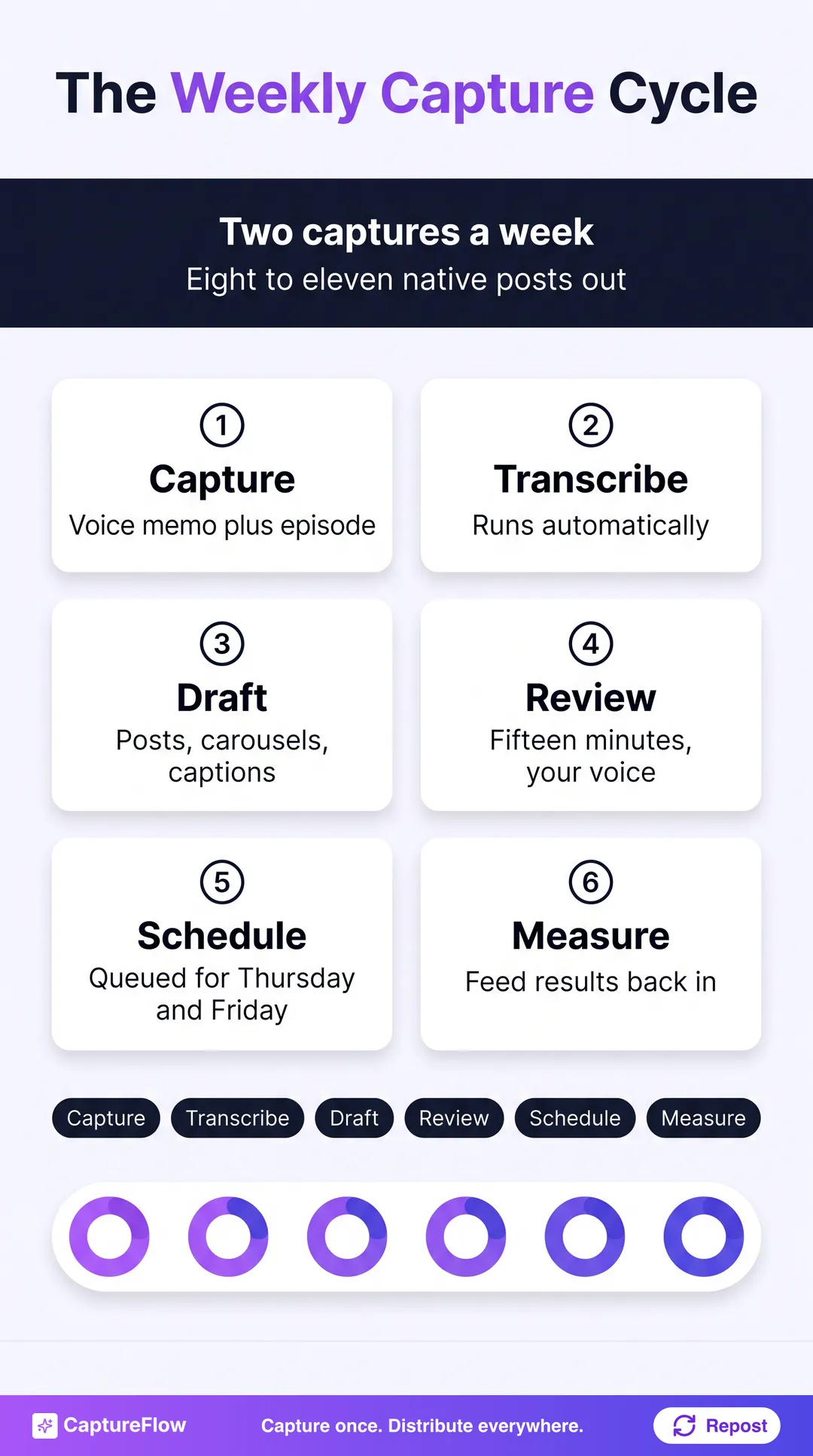 The weekly cycle. Your time goes into capture and review; the middle runs itself.
What comes out of one week:
- 3 to 5 text posts (LinkedIn, X, Threads)
- 1 to 2 carousels (LinkedIn, Instagram)
- 2 to 3 short video clips (LinkedIn, TikTok, Reels, YouTube Shorts)
- 1 quote image (Instagram, X)
That's 8 to 11 native posts from two or three raw captures, for under 30 minutes of your time across the week.
What this system is not
It's not set-and-forget. The AI drafts; you approve. That review step is non-negotiable, because the output is only as good as the voice model behind it, and that model needs regular reinforcement: new examples, updated positioning, notes on what landed.
The system removes the blank page, but it doesn't remove your judgment. You're still the source of the expertise and the system is the conversion layer, so your job is to keep capturing while it keeps converting.
Start capturing this week
The founders with a consistent presence aren't the ones with the most time. They're the ones with the best system. An episode shared as a link reaches a fraction of its audience. A voice memo left on your phone helps nobody. And a post queue that takes two hours to fill every week won't survive the third month.
CaptureFlow is an AI content agent that turns your expertise into weeks of on-brand content for every platform. You capture one idea in minutes (a voice note, a podcast episode, a file, or a link), and CaptureFlow, trained on your voice and past posts, reshapes it into native content for each channel: clips, LinkedIn posts, X threads, carousels, quote images, and more. You review it, or leave it to your agent, and it schedules the week for you. Podcasters in particular should look at how it fits a show's workflow.
See everything CaptureFlow does, or pick a plan and turn this week's thinking into next week's content.
Sources
- Edison Research at SSRS: The Infinite Dial 2026
- YouTube Official Blog: Celebrating 1 billion monthly podcast users on YouTube
- YouTube Official Blog: Tall updates coming to Shorts
- Stanford Report: Stanford study finds speech recognition faster at texting
- LinkedIn Marketing Blog: How B2B marketers can use thought leadership to influence hidden buyers
Frequently asked questions
How do you repurpose podcast clips for social media?+
Start with the transcript, not the timeline. Pull the strongest contrarian lines, framework moments, and quotable statements, then turn each one into a native clip, text post, or carousel based on what the idea needs to land.
How do you turn a voice memo into a carousel?+
Transcribe the memo, identify the core claim, the supporting points, the contrast, and the takeaway, then map those four elements into a 6 to 8 slide structure. The memo is the raw idea. The carousel is the formatted output.
What is the difference between scheduling and automation?+
Scheduling queues posts you already wrote. Automation generates platform-specific versions, applies channel rules, and moves content into the publishing workflow with less manual work.
What content can one podcast episode create?+
A single episode can become short-form clips, LinkedIn posts, X threads, carousels, quote images, and infographics. The goal is not one perfect asset. The goal is one source that feeds multiple formats.
How often should founders repurpose content?+
Weekly is enough for most founders. One or two strong captures per week can produce a steady queue of native posts without turning content creation into a full-time production process.
Chris is the founder and CEO of CaptureFlow, which he builds so founders can turn their expertise into content without hiring a team. After 10+ years building products and growing audiences from scratch, he writes about founder-led content, AI, and distribution from inside the problem he is solving: distributing consistent, on-brand content as a team of one.
Founder & CEO of CaptureFlow · 10+ years building products and audiences
One playbook a week from founders who actually create and distribute lots of content. No spam, unsubscribe anytime.
Keep reading
Turn One Podcast Into Carousels and Short Videos
Your best 60 seconds on the mic can be a carousel and a clip by lunch. Here is the focused workflow to turn one episode into the two formats that travel furthest.

The Founder's Content Operating System (5 Minutes a Day)
You do not have a discipline problem. You have a missing system. Here is the content operating system that runs on 5 minutes a day, from one capture to every platform.
The Capture-First Content System: A Complete Workflow
Consistency does not come from discipline. It comes from a system where the hard part happens once a week. Here is the full capture-first workflow, step by step.