How to Turn One Long Video Into Short-Form Clips
How to turn one long video into short-form clips for Reels, Shorts, and TikTok: which moments to cut, vertical framing, captions, and how AI finds them.

You already recorded the hard part. A 40-minute talk, a webinar, a podcast episode, a YouTube upload: somewhere inside it are eight to ten moments that would stop a thumb mid-scroll. The work left is not making more video. It is finding those moments and cutting them out.
This is how to repurpose a long YouTube video into multiple short-form clips for Reels, Shorts, and TikTok, step by step, without a video team.
Turning a long video into short-form clips means lifting the strongest self-contained moments out of a longer recording and reframing each one as a vertical clip that stands on its own. You are not summarizing the video. You are harvesting the two or three sentences inside it that already earn attention, and giving each one room to breathe.
It is worth doing because short video is where the reach is. In Wyzowl's 2026 survey, 63% of people said a short video is how they would most like to learn about a product, and 82% of marketers say video gives them a good return. On the platform side, YouTube Shorts now averages 200 billion daily views. Your long video reaches the people who already subscribe. Clips reach everyone who would have loved it and never pressed play.
Which moments actually clip well
Not every minute deserves a clip. Scan for five kinds of moment:
- The hook. The strongest 20 seconds, the line that made someone lean in.
- The story. A 60-second lesson with a beginning, a turn, and a point.
- The how-to. One tip explained start to finish, useful on its own.
- The hot take. A contrarian line someone could disagree with.
- The before and after. The transformation, the result, the proof.
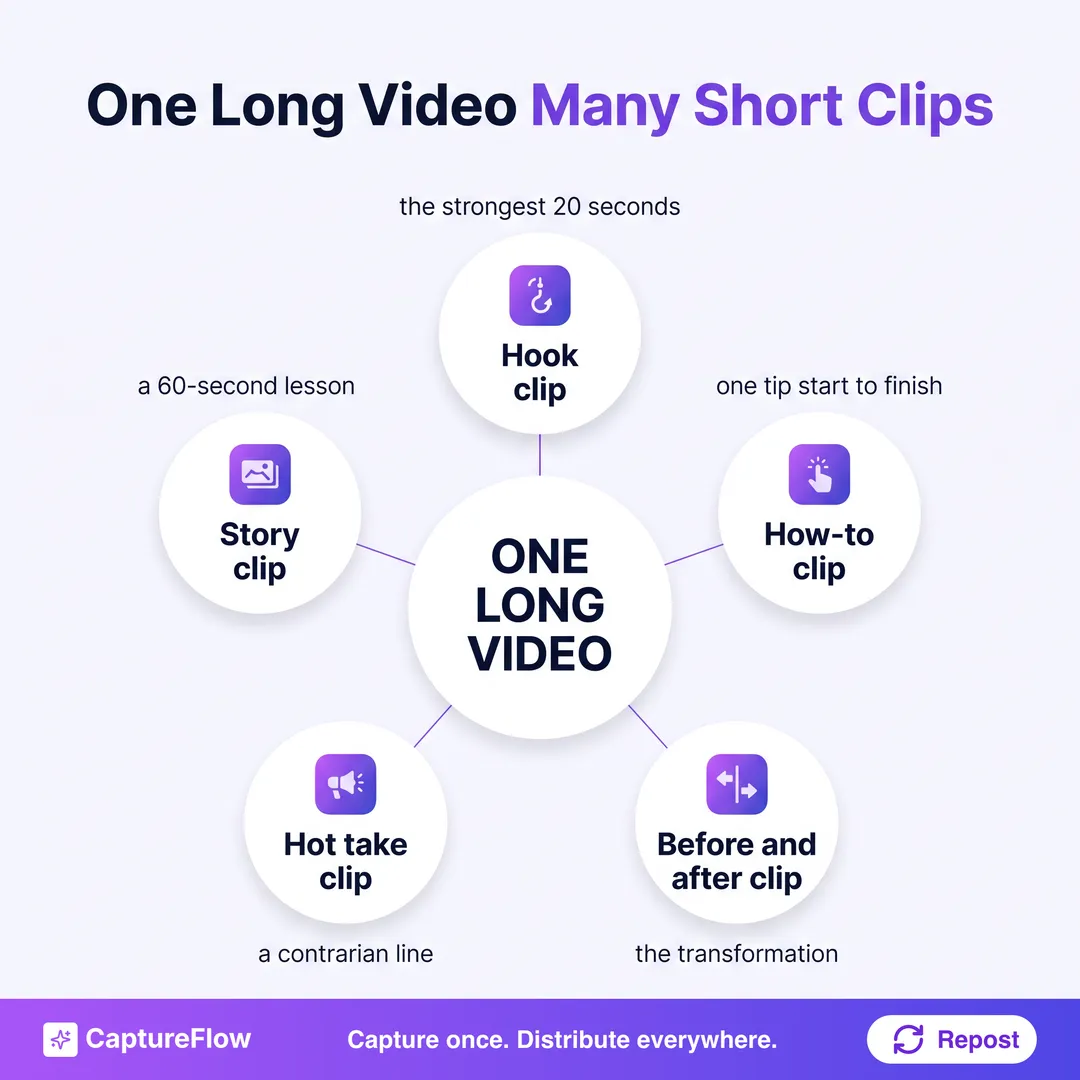 Five moment types that reliably clip well from one recording.
If a moment needs the previous ten minutes to make sense, it is not a clip. If it can open cold and land in under a minute, it is.
Step 1: Transcribe and scan for moments
Start with the transcript, not the timeline. Reading is faster than scrubbing, and the clip-worthy moments jump out as sentences long before you would spot them in a waveform. Mark every line that could open a clip cold.
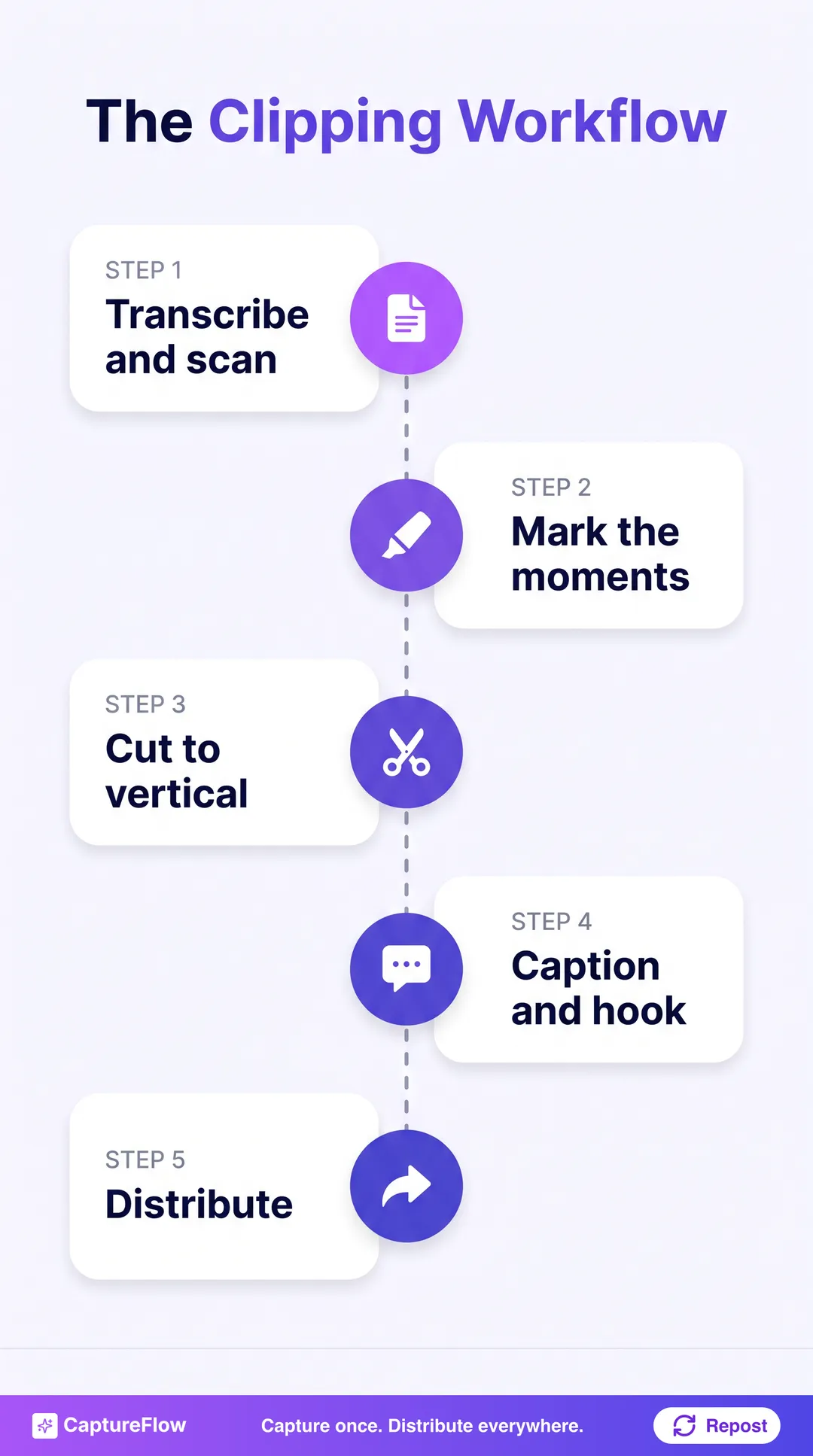 The whole clipping workflow, from one recording to distributed clips.
Step 2: Mark the clips worth cutting
Go through your marked lines and keep only the ones that stand alone. For each keeper, note the in and out points and the single idea it delivers. Eight to ten tight clips beat twenty loose ones. This is the judgment step, and it is where most of the value is.
Step 3: Cut each clip vertical
Cut to 9:16 vertical for Reels, Shorts, and TikTok. Reframe so the speaker stays centered, trim dead air at the front, and open on the strongest line rather than a slow build. If you also want a square version for the LinkedIn or Instagram feed, export 1:1 from the same cut.
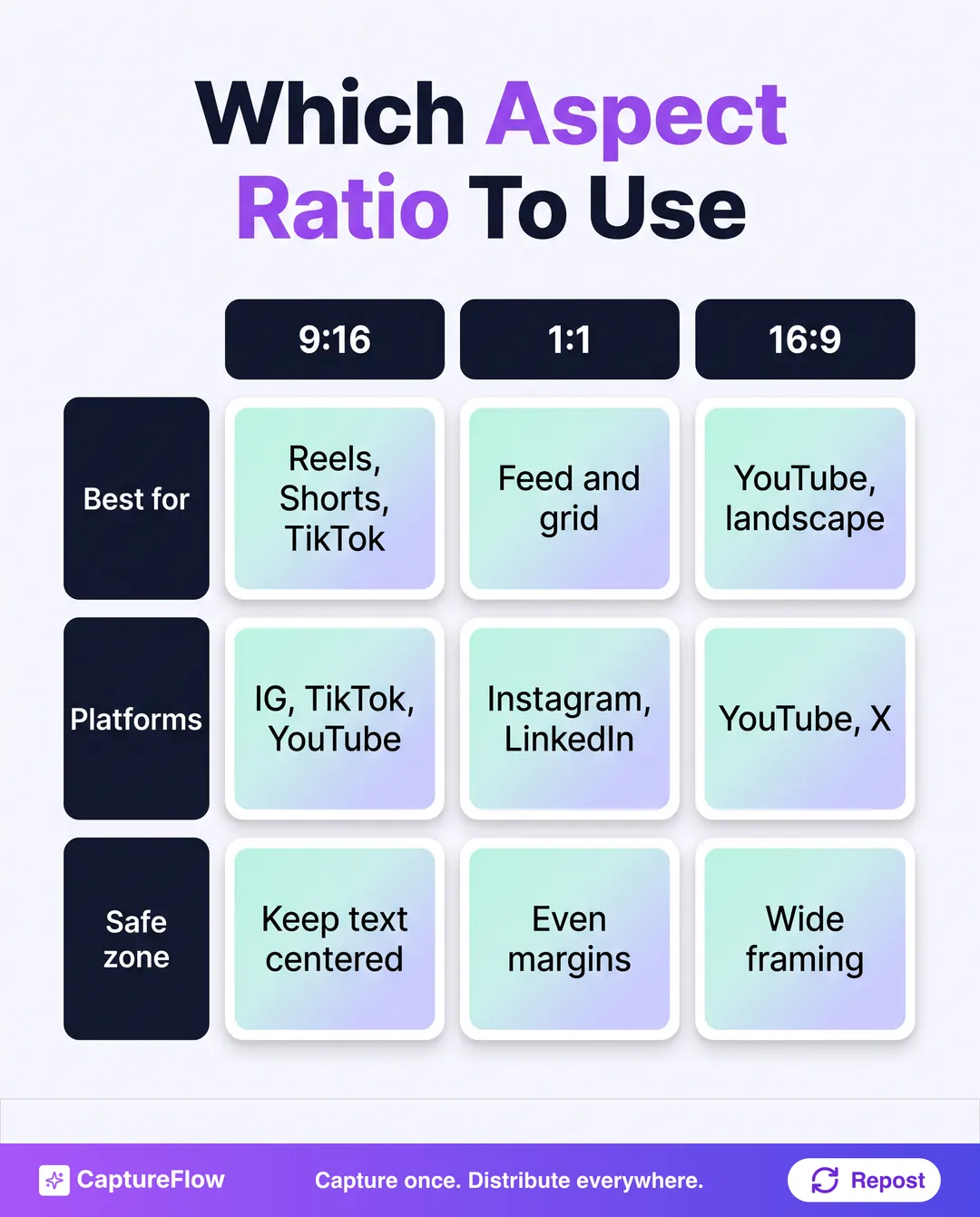 Pick the aspect ratio by where the clip is going.
Step 4: Caption and lead with a hook
Most short video is watched on mute, so captions are not optional. Burn them in, and put a short text hook on the first frame that promises the payoff. Keep the important text and captions inside the center of the frame, clear of where each app stacks its buttons and username, so nothing critical gets cropped on Reels, Shorts, or TikTok. Test one clip on each platform before you batch the rest.
Reuse the same hook line as the clip's caption text and its first on-screen frame. One strong sentence does triple duty: the thumbnail, the hook, and the copy.
Step 5: Distribute to Reels, Shorts, and TikTok
Post each clip native to its platform, and space them a few days apart so they reinforce rather than compete. One recording can now feed weeks of a vertical-video calendar. The same moments can also become a LinkedIn carousel or a set of quote images, so the clips are only one branch of what the video produces.
CaptureFlowYou are not making more video. You are getting paid back for the video you already made.
How CaptureFlow turns one video into clips
The manual version of this works. It is just slow, and the transcript-scanning step is the kind of repetitive work that gets skipped on a busy week.
CaptureFlow is an AI content agent that turns your expertise into weeks of on-brand content for every platform. Point it at a long video and it transcribes the recording, surfaces the moments that stand alone, and produces the short vertical clips along with the text posts, carousels, and quote images hiding in the same source. You review, adjust, and distribute. Capturing the idea took minutes when you recorded it; the fan-out takes minutes now.
If you want the broader system that turns one recording into a full month, see how to turn one YouTube video into a month of content and how to turn one video into content for every platform. Prefer a dedicated clipping tool? Compare CaptureFlow with OpusClip and Munch. When you are ready to run the whole workflow from one capture, see what CaptureFlow does and pricing.
Sources
Frequently asked questions
How many short-form clips can I get from one long video?+
A 30 to 60 minute recording usually yields eight to ten strong clips. The limit is how many self-contained moments the video actually has, not the runtime.
How long should a short-form clip be?+
Aim for 15 to 60 seconds. Lead with the strongest line in the first two seconds, and cut the moment the point lands.
Can AI find the clip-worthy moments for me?+
Yes. An AI content agent trained on your voice can scan the transcript, surface the moments that stand alone, and produce vertical clips ready to review.
Chris is the founder and CEO of CaptureFlow, which he builds so founders can turn their expertise into content without hiring a team. After 10+ years building products and growing audiences from scratch, he writes about founder-led content, AI, and distribution from inside the problem he is solving: distributing consistent, on-brand content as a team of one.
Founder & CEO of CaptureFlow · 10+ years building products and audiences
One playbook a week from founders who actually create and distribute lots of content. No spam, unsubscribe anytime.
Keep reading
Turn One Podcast Into Carousels and Short Videos
Your best 60 seconds on the mic can be a carousel and a clip by lunch. Here is the focused workflow to turn one episode into the two formats that travel furthest.
How to Turn One Video Into Content for Every Platform
You recorded one good video. Most people post it once and move on. Here is the workflow to turn that single video into native content for every platform.
How to Repurpose Podcast Clips, Voice Memos, and Automate Social Content: One System for Founders
Your podcast episode and the voice memo you recorded on the train are the same raw material. Here is one system that turns both into a week of native posts, then distributes them for you.