How to Repurpose a Conference Talk Into 3 Months of Content
How to repurpose a conference talk into 12 weeks of posts: secure the recording, mark six content layers, cut clips, and run a 90-day calendar.

You spent weeks building the talk. You rehearsed it on walks, delivered it to a full room, and answered questions until the moderator cut you off. Then you posted one stage photo with "Thanks for having me," and the recording went into a folder you haven't opened since. If you want to repurpose a conference talk properly, the fix is simple: treat the talk as a quarter's worth of source material, not a one-day event, and pull it apart on purpose.
This playbook shows you how. Six layers to extract, a cut list for clips, and a 12-week calendar that never repeats the same angle twice in a row.
Here's the definition I work from.
A conference talk is a pre-tested content library: every argument already survived a live audience, and every question from the floor is a post your market has told you it wants.
That second part is why talks beat most other source material. A podcast episode is you guessing what people care about. A talk with a Q&A is people telling you, out loud, with their hands up.
Why repurpose a conference talk at all?
Two reasons. One about your audience, one about memory.
First, the audience. A few hundred people heard you speak. Your LinkedIn following, your X followers, the buyers who will never fly to that event? They got a photo. And those buyers do read this kind of material: in the 2025 Edelman and LinkedIn B2B Thought Leadership Impact Report, a survey of 1,934 business decision makers, 64% of target buyers and 63% of the "hidden" buyers who influence deals from the sidelines said they spend more than an hour a week on thought leadership content. Your talk is exactly that content. It just never left the room.
Second, memory. Even the people who were there won't remember much of it. The forgetting curve Ebbinghaus mapped in the 1880s held up when Murre and Dros replicated it in 2015: most of what we forget goes in the first day. So posting your talk's ideas for three months isn't repetition. For almost everyone, it's the first time they're really hearing them.
The talk lasted 30 minutes. The ideas in it are good for 12 weeks.
The system at a glance
- Secure the raw material. Recording, slides, notes, and the Q&A, ideally before you speak.
- Mark six content layers. Thesis, arguments, stories, frameworks, data, questions.
- Cut the recording into clips. Short vertical video from the moments that landed.
- Rebuild the slides as a carousel. One argument, one idea per slide.
- Spend the event hook early. Use it hard for two weeks, then drop it.
- Run the 12-week calendar. One new angle a week, never two from the same layer.
Step 1: Secure the raw material (before you go on stage)
Most speakers start repurposing a week after the event and discover the recording belongs to the organizer, sits behind an attendee paywall, or never existed. Don't find out afterward. Sort it out when you confirm the slot.
- Ask about the recording in writing. Will the session be filmed? When will you get the file? Can you post clips on your own channels? Your speaker agreement may already answer this, so read it.
- Record your own audio anyway. A phone in your pocket or on the lectern, voice memo running. It won't look pretty, but audio is enough for a transcript, and a transcript is the thing you actually mine.
- Keep your final deck and notes. Not the draft from two weeks ago. The version you presented, with whatever you changed on the train.
- Capture the Q&A while it's fresh. Right after you step off stage, record a two-minute voice note listing every question you remember and how you answered. This is the layer people lose most often, and it's the one worth the most.
What if there's no recording?
It happens. The upload link expires, the session wasn't filmed, or the footage is locked in an event platform. You're still fine.
Open your deck and go slide by slide, writing two or three sentences on what you actually said at each one. A 20-slide deck takes about 20 minutes. That document mines almost as well as a transcript, because the slides hold the structure and your sentences hold the substance.
And if you have nothing at all (no deck, no audio), treat the talk as a prompt. Record a 10-minute voice note explaining the talk to a colleague who missed it. That casual retelling is often sharper than the stage version anyway; you've had time to figure out which parts mattered. If voice notes are new to you, here's how to turn voice notes into content.
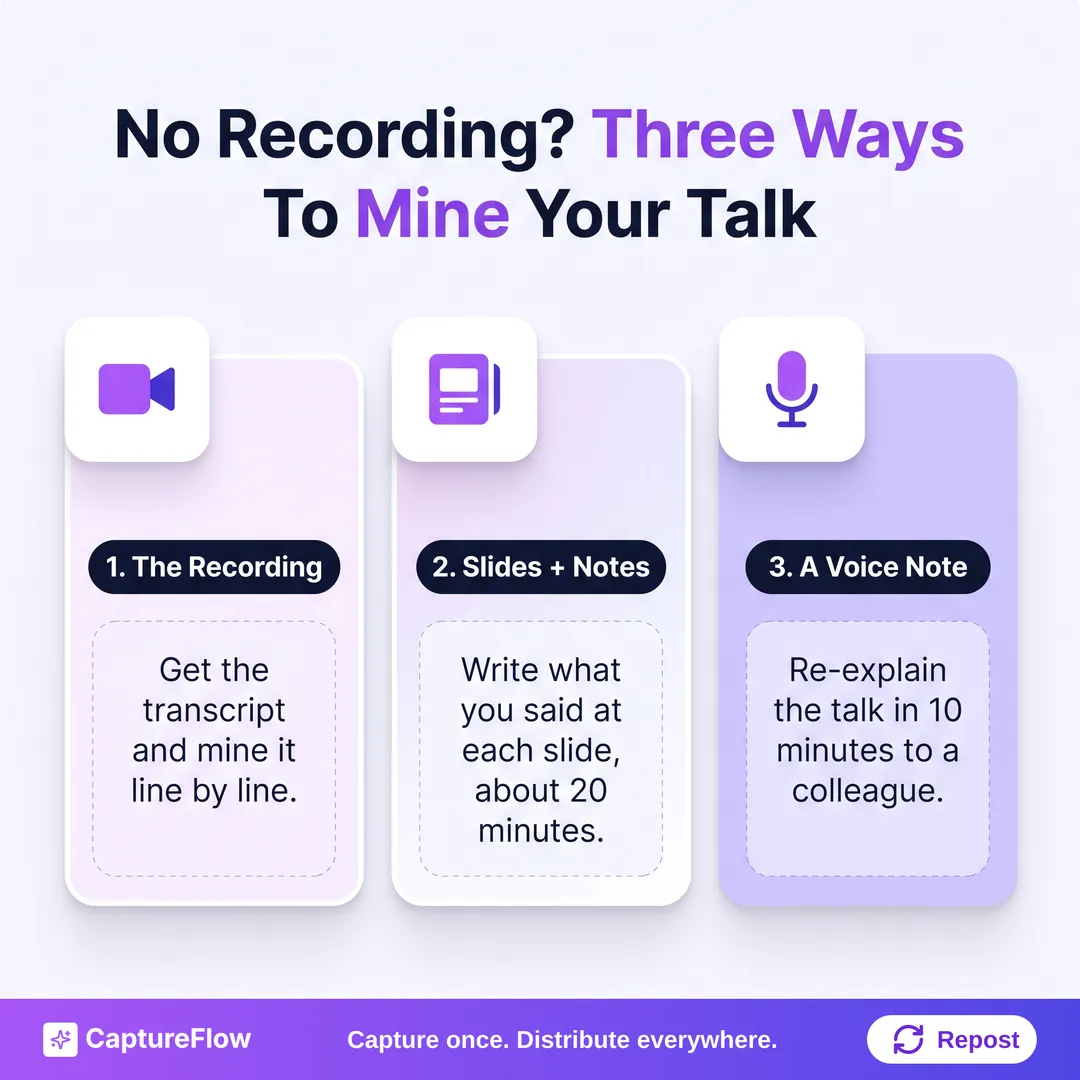 No recording is not a dead end. Any of these three sources is enough to mine.
Step 2: Mark the six content layers
Read the transcript once, top to bottom, and label without drafting. You're identifying, not writing. Every talk has the same six layers, and each one turns into a different kind of post.
| Layer | What it is | What it becomes |
|---|---|---|
| Core thesis | The one thing you want the room to remember | A long text post on LinkedIn, a thread on X |
| Supporting arguments | The 3 to 5 points that prove the thesis | One standalone post per argument |
| Stories | The moments where you stopped explaining and started narrating | Short narrative posts, short video clips |
| Frameworks | Any model, matrix, or named process you walked through | A carousel or an infographic |
| Data | The numbers you cited | Stat-led posts and quote images |
| Q&A | What the audience asked afterward | One post per question, answered properly this time |
Where to look: the thesis usually lives in your opening or your close. The arguments are your main sections. Stories are easy to spot because your sentences get shorter and you start using past tense. And the Q&A questions are already written for you, word for word, by the people who asked them.
When you finish, you should have 15 to 25 marked moments. That's your extraction list. If you have fewer than 12, the talk was probably thinner than it felt on stage, and that's useful to know too.
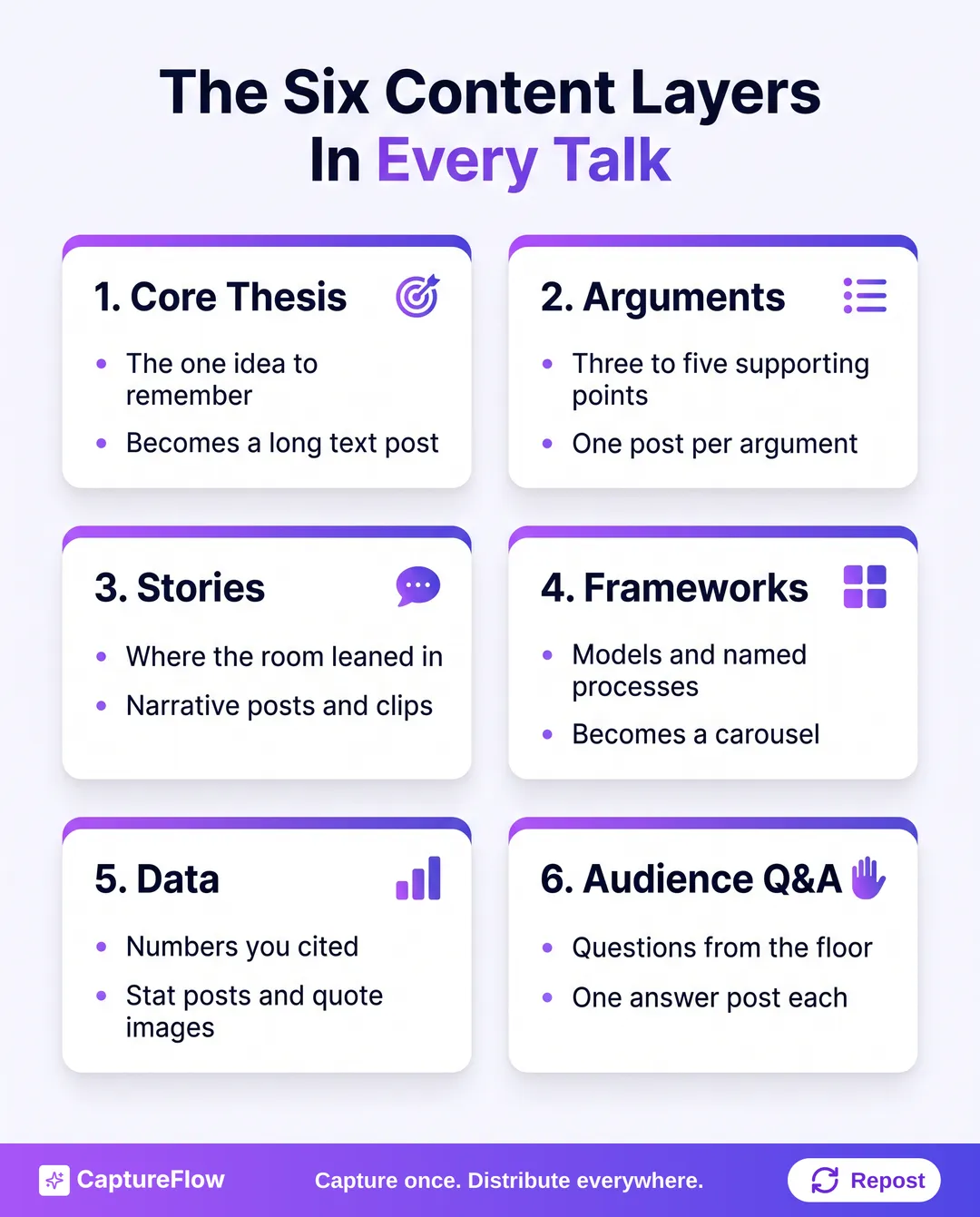 Six layers, six kinds of post. Most speakers extract none of them on purpose.
Weight the Q&A heavily. A question from the floor is market research you didn't have to pay for. If three people asked a version of the same question, that's your best-performing post of the quarter, and you already know the answer.
Step 3: Cut the recording into short clips
If you do have video and the rights to use it, the stories layer and the sharpest argument moments become short clips. Look for 30 to 90 second stretches that make sense without context: a punchline, a reframe, the moment the room laughed.
A few practical notes. LinkedIn accepts native video up to 15 minutes and 5 GB, so a longer cut of your best section can live there too. YouTube counts square or vertical uploads of up to three minutes as Shorts. Stage footage is usually landscape, so crop to vertical around the speaker and add captions; plenty of people scroll with the sound off.
Don't clip every moment. Five to eight good clips beat twenty mediocre ones, and they give you a video slot roughly every other week. The full method for finding the cut points is in how to turn one long video into short-form clips, and the free Key Moments Finder will flag candidates from a transcript.
Step 4: Rebuild the slides as a carousel
Your deck already has carousel bones: a sequence of frames, one idea each. But slides built for a live room lean on your voice. A slide that says "The Three Pillars" with three icons means nothing in a feed.
So rebuild, don't upload. Pick the one section with the clearest structure (usually your framework) and rewrite it so each slide reads on its own:
- A hook slide with the claim or the problem.
- Five to eight slides, one idea each, with a line of explanation.
- A synthesis slide: what it all adds up to.
- One call to action.
A 20-slide talk usually gives you one strong carousel, maybe two. I've covered the slide-by-slide method in depth in how to turn a slide deck into social content, and the design side in how to make a LinkedIn carousel. If you'd like an outline before you start cutting, the Carousel Outliner builds one in under a minute.
Step 5: Spend the event hook early, then retire it
A talk comes with something a podcast or a video doesn't: social proof baked into the context. "I said this to 300 founders in Berlin last week" earns attention that "Here's my take on pricing" doesn't. Use it, but understand it's a depreciating asset.
- Weeks 1 and 2: Lead with the event. It's fresh, it's timely, and it signals that a real room found this worth hearing.
- Weeks 3 to 8: Drop the event name. The arguments stand on their own now, and "at the conference" every week starts to read like you have one credential.
- Weeks 9 to 12: Reframe. "Three months ago I argued X. Here's what I'd change" is a stronger hook than any event name, because it shows you kept thinking.
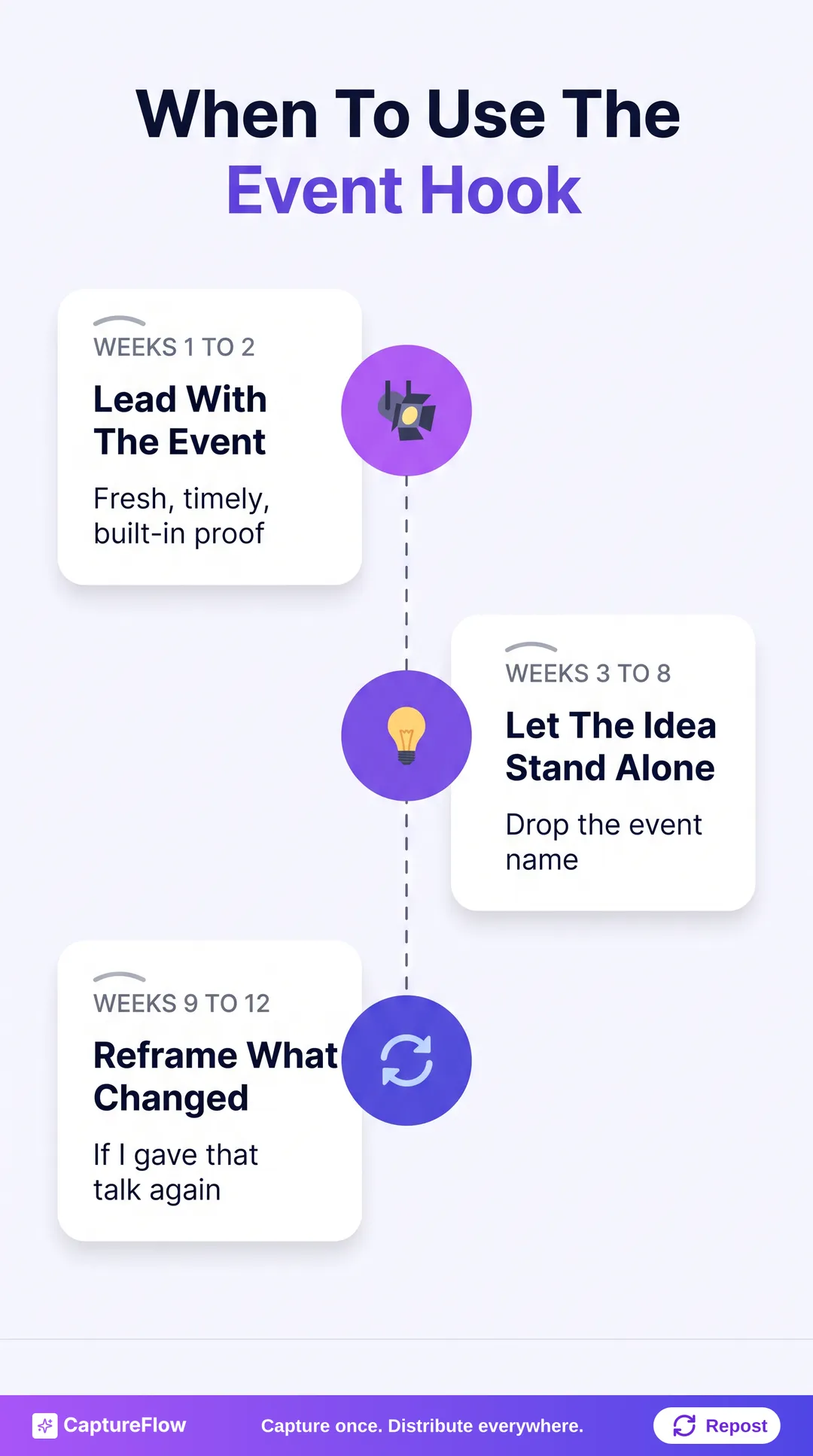 The event name is a hook with an expiry date.
The 12-week conference talk content calendar
Here's how the extraction list becomes a quarter. One talk-derived post a week, sometimes two, each one adding an angle rather than restating the last.
| Week | Post | Source layer | Hook |
|---|---|---|---|
| 1 | Long text post: the core thesis | Thesis | "I said this on stage last week..." |
| 2 | Argument 1 post, plus your best short clip | Argument + story | Event context, last time |
| 3 | Carousel of your framework | Framework | The problem it solves |
| 4 | Answer to the most-asked question | Q&A | "Someone asked me after the talk..." |
| 5 | Story post | Stories | Narrative open |
| 6 | Argument 2 post, plus a second clip | Argument + story | Standalone argument |
| 7 | Stat-led post or quote image | Data | "The number that got a reaction" |
| 8 | Answer to Q&A question 2 | Q&A | "The question I keep getting" |
| 9 | Argument 3 post, plus a third clip | Argument | Standalone argument |
| 10 | The objection post | Q&A, pushback | "The strongest pushback I got was..." |
| 11 | Synthesis post | Thesis, reframed | "Here's what the whole talk adds up to" |
| 12 | What I'd change | Thesis, evolved | "If I gave that talk again..." |
That's 12 weeks of talk-derived content without a new idea. You'll still post other things alongside it, and you should.
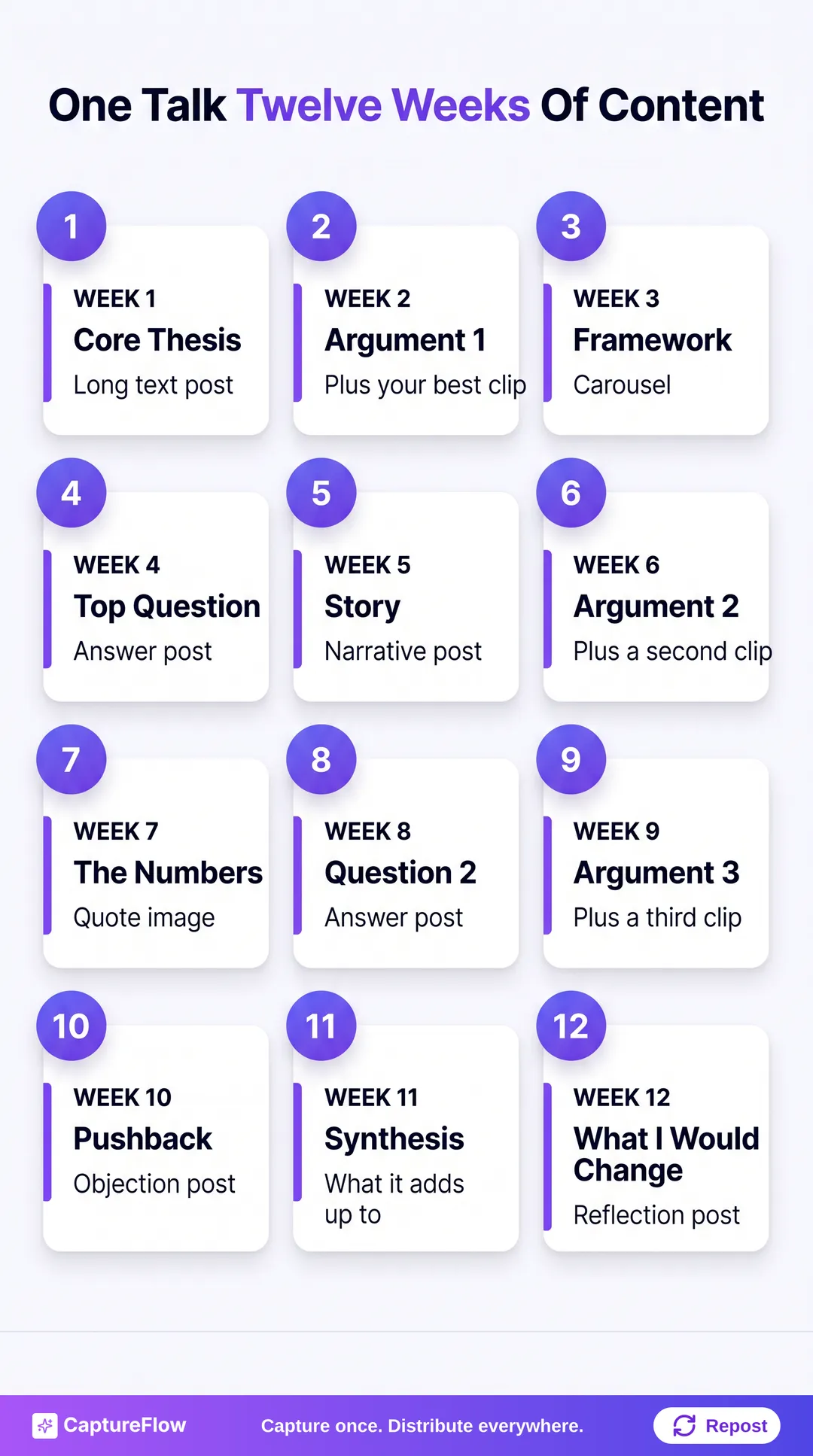 One talk, one quarter. Each week takes a new angle on the same source.
Rules that keep it from getting stale
- Never post two pieces from the same layer in one week. Argument on Tuesday, argument on Thursday reads like a lecture series.
- Space the carousel at least two weeks after the thesis post. People need to meet the argument in words before a visual breakdown of it means anything.
- Save the "what I'd change" post for the end. It's the most honest post in the sequence, and it only works once enough time has passed to make the reflection real.
- Leave room for the week. Something will happen in your industry that you want to react to. A calendar that's 100% planned can't flex. If you want to batch the whole quarter at once, batching a month of content covers how to leave that slack in.
Before anything goes public, strip what shouldn't. Attendee names from the Q&A, a customer you mentioned on stage under a "this room only" understanding, unreleased numbers. If the organizer ran the event under Chatham House rules, quote the ideas, not the people.
The honest math: an afternoon by hand
Done manually, this takes real time. Transcribing (or cleaning up an auto-transcript), marking six layers, drafting 12 posts in a voice that sounds like you, outlining the carousel, finding and cropping clips, then slotting it all into a calendar. In my estimate that's three to four focused hours for one talk, and that's if you're fast.
It's worth doing even at that cost. A talk you spent weeks preparing deserves more than one afternoon of reuse. But most founders who speak at events don't have the afternoon, which is why the recording stays in the folder.
The 5-minute version with CaptureFlow
CaptureFlow is an AI content agent that turns your expertise into weeks of on-brand content for every platform. You drop in the talk however you have it: the recording, the transcript, the slide deck as a PDF, a link, or that voice note from the train home. The agent, trained on your voice and past posts, finds the layers, drafts the thesis post, the argument posts, and the Q&A answers, outlines the carousel, and picks clip moments for short video. You review the set, move things around on the schedule calendar, and the quarter is planned.
Same method as this article. The capture takes about 5 minutes; the extraction and drafting happen while you get back to work. And it doesn't stop at LinkedIn: the same talk becomes X threads, Instagram carousels, Threads posts, quote images, and vertical clips, each shaped for its platform. See what goes in on the multimodal capture page, or check pricing if you have a talk sitting in a folder right now.
Because you probably do. And everything you said on that stage is already the content.
Sources
- Edelman and LinkedIn: 2025 B2B Thought Leadership Impact Report
- Murre, J. M. J. and Dros, J., PLOS ONE (2015): Replication and Analysis of Ebbinghaus' Forgetting Curve
- LinkedIn Help: Video specifications for LinkedIn posts
- YouTube Help: Understand three-minute YouTube Shorts
Frequently asked questions
How do I repurpose a conference talk if there's no recording?+
Work from your slides and speaker notes. Go slide by slide and write two or three sentences on what you actually said. If you have nothing at all, record a 10-minute voice note re-explaining the talk to a colleague and mine that instead.
How much content can one conference talk produce?+
A 30 to 45 minute talk with a Q&A usually holds 15 to 25 distinct moments worth posting. At one or two posts a week from the talk, that covers about 12 weeks, plus short clips and a carousel.
Can I post clips of my talk without the organizer's permission?+
Check your speaker agreement first. Many events own the footage they shot. Ask for clip rights before the event, and if the answer is no, use your own phone recording, your slides, and text posts instead.
Won't people get tired of hearing about the same talk for three months?+
Not if each post takes a different angle. Never post two pieces from the same layer in one week, drop the event name after week two, and mix formats: text posts, a carousel, short clips, and quote images.
Chris is the founder and CEO of CaptureFlow, which he builds so founders can turn their expertise into content without hiring a team. After 10+ years building products and growing audiences from scratch, he writes about founder-led content, AI, and distribution from inside the problem he is solving: distributing consistent, on-brand content as a team of one.
Founder & CEO of CaptureFlow · 10+ years building products and audiences
One playbook a week from founders who actually create and distribute lots of content. No spam, unsubscribe anytime.
Keep reading

How to Turn a Slide Deck Into Social Content (No Video Needed)
Your old pitch decks and conference talks are a content backlog, not an archive. Here is how to mine one deck for a week of posts without ever turning on a camera.
How to Repurpose One Podcast Episode into 30 Posts
You already recorded an hour of gold. Most of it dies after one listen. Here is the exact system to turn one podcast episode into 30 native posts for every platform.

Social Media Approval Workflow: 5 Stages, No Chasing
Your posts aren't late because your team is slow. They're late because nobody knows who approves what, or by when. Here's a five-stage approval workflow that fixes that.