How to Turn One YouTube Video Into a Month of Content
A repeatable system to repurpose a YouTube video into a month of LinkedIn posts, X threads, carousels, quote images, and Shorts using its own transcript and chapters.

You already did the hard part. You scripted, filmed, and edited a YouTube video, then hit publish, and YouTube quietly built more raw material around it than most creators ever touch: a full transcript, a chapter list marking every topic shift, and a description written for search. Most people share the link once and let all three sit unused.
Here is the fix, and the honest answer to how you repurpose a YouTube video: treat the upload itself, not a blank editor, as your source. To repurpose a YouTube video is to mine what the platform already built around it, the footage, the transcript, the chapters, and the description, into a full month of LinkedIn posts, X threads, carousels, quote images, and Shorts, instead of filming something new for every channel. This is the YouTube-native version of that idea: the extraction starts on the platform you already uploaded to, not somewhere else.
I build CaptureFlow, so I have a bias to declare upfront. CaptureFlow is an AI content agent that turns your expertise into weeks of on-brand content for every platform. But the system below runs on nothing more than your YouTube Studio dashboard and a document. The agent just collapses the slow parts.
Why you should repurpose a YouTube video instead of posting it once
The instinct after publishing is to move on to the next video. That instinct throws away most of the value of the one you just made.
A 15 to 30 minute YouTube video is dense. You stated an opinion, argued against something people believe, told a story, named a process, dropped a number, and said at least one line clean enough to quote on its own. Each of those is a different asset for a different feed, not the same idea chopped into pieces. And the audience for a wider release is already there: 84% of US adults say they use YouTube, per Pew Research Center, making it the single most-used platform in the country. Posting the video once and hoping the algorithm carries it is leaving reach on the table that a repurposing pass would capture on every other channel you own.
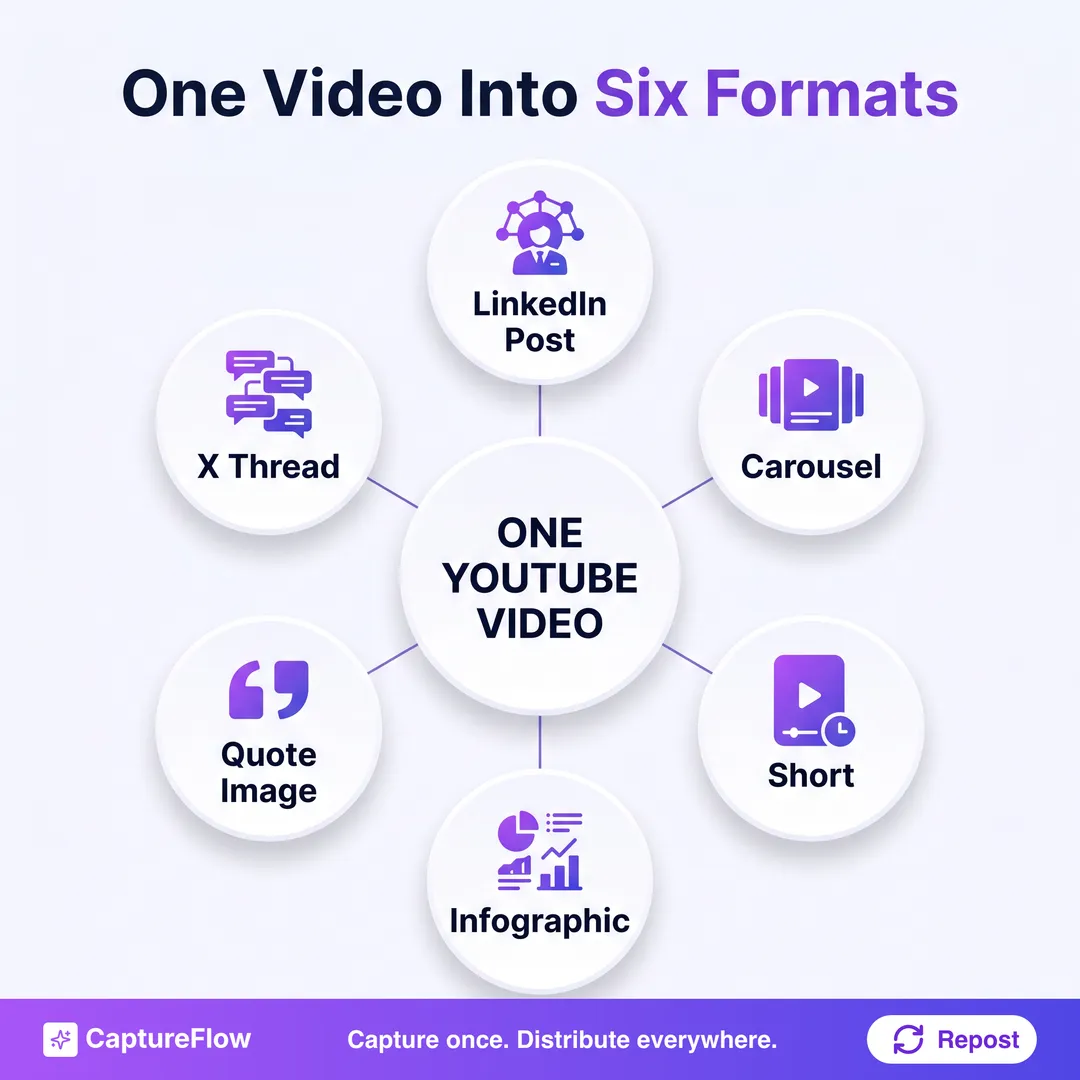 One upload, six formats. The video does not change, only the shape it takes per platform.
If you already read our guide on turning one video into 10 LinkedIn posts, this is the same mining principle, pushed past a single platform and anchored specifically to a YouTube upload's own metadata. The difference is where you start digging and how far the batch travels: not just LinkedIn, but LinkedIn, X, carousels, quote images, and a Short, all sourced from the one thing you already made.
The month-long system: one upload, five moves
Run this the same way every time you publish and it stops being a scramble.
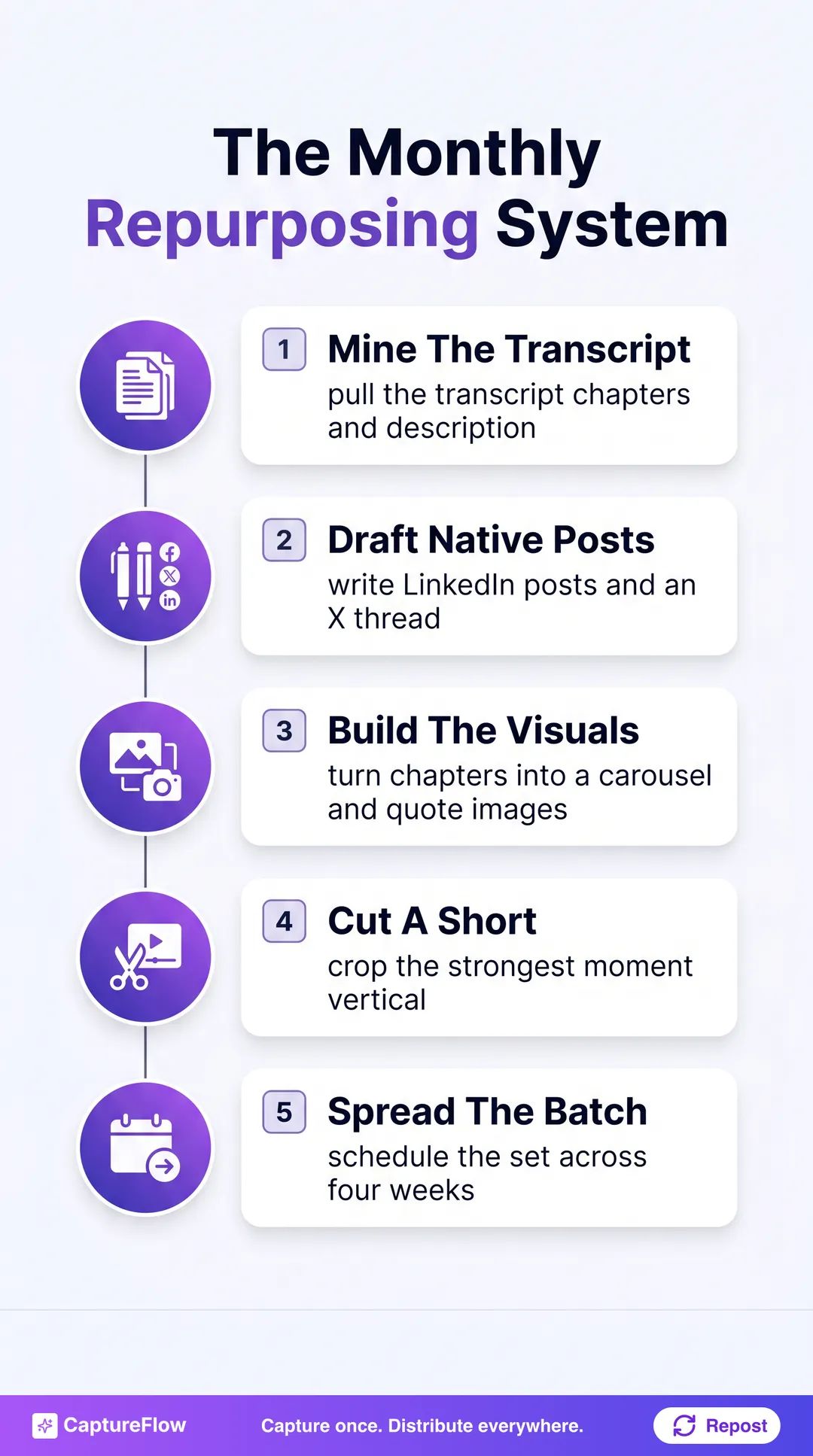 The five-move system. Step 1 does the real work; everything after is reshaping what it surfaced.
- Mine what YouTube already built. Pull the transcript, the chapter list, and the description, and mark the standout moments.
- Draft native LinkedIn posts and an X thread. Reshape each marked moment for the platform it is going to, not a generic paraphrase.
- Turn the chapters into a carousel, and your best line into quote images. Your own structure and your own words become the visuals.
- Cut a Short from the same footage. No new filming, just a tighter, vertical edit of a moment that already worked.
- Spread the batch across four weeks. One upload becomes a month of scheduled posts instead of a single link.
Notice what is missing: a second camera setup, a new script, or a separate recording for every platform. Every format below traces back to the one upload. That is the whole point of a youtube content repurposing system: fewer captures, more output.
Step 1: Mine what YouTube already built for you
Before you write a single post, pull the three things the upload already gave you.
- The transcript. YouTube auto-generates one for nearly every upload, and it may already include chapter markers if you set them. This is your searchable raw text, the same thing a repurposing tool would need to generate from scratch if you had not already published on YouTube.
- The chapters. If you added them, chapters mark the exact points where the topic shifts, which means someone (you) already outlined the video for you. Each chapter is a natural boundary for a post, a carousel slide, or a clip.
- The description. A well-written YouTube description packs the searchable keywords and framing you already decided mattered enough to write down. That framing is a head start on captions and post hooks, not just SEO copy for the video page.
Paste the transcript into our free transcript to posts tool and it will surface the strongest standalone moments for you automatically, the same extraction step described above, done in seconds instead of a full read-through. If your description needs a rewrite before you mine it for hooks, our YouTube description generator will draft one from the video's topic in a few seconds too.
Do the mining before you touch a single platform. If you jump straight to writing a LinkedIn post from memory, you will lean on whatever you remember saying, which is rarely the sharpest three minutes of the video. Go back to the transcript and chapters first, mark five to eight real moments, then decide what each one becomes.
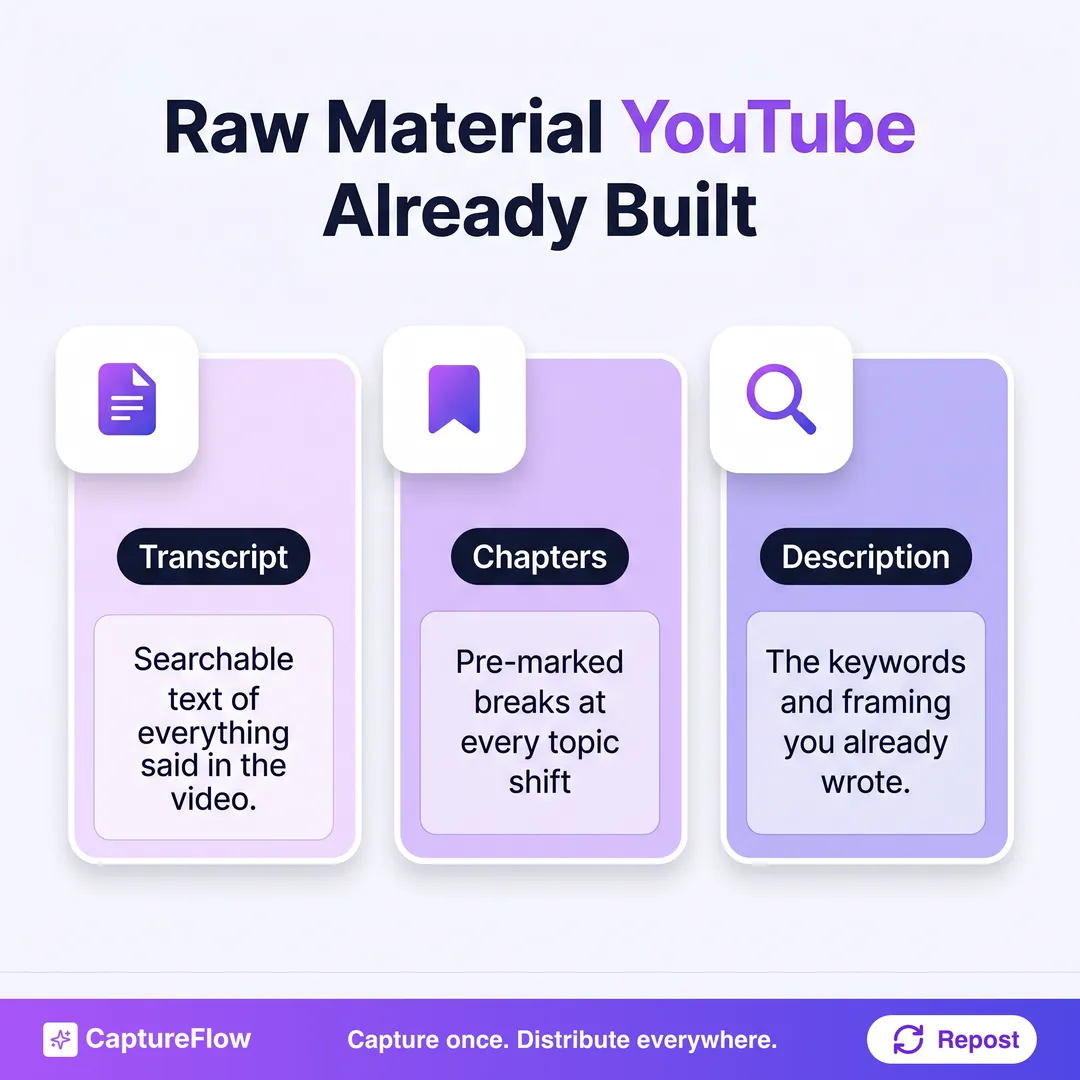 Three inputs, already sitting in YouTube Studio. None of them require a new recording.
Step 2: Draft native LinkedIn posts and an X thread
Every marked moment becomes a post, but not the same post copied twice. Native means it reads like it was built for the platform it lands on, not pasted from a transcript.
For LinkedIn, that means a strong first line, one idea per post, short paragraphs, and a real takeaway. The full mechanics of mining a recording for standalone LinkedIn angles are in our guide to turning one video into 10 LinkedIn posts, and the same 10-angle approach (thesis, contrarian take, how-to, story, framework, stat, one-liner) works whether the source is a webcam recording or a full YouTube upload.
For X, take your single sharpest chapter and unroll it as a thread, one beat per post, opening on the line that would have made someone click if it were the video's thumbnail text. The transcript's spoken rhythm rambles; written threads do not, so cut the filler and keep the argument tight.
The rule that makes this workKeep your own phrasing. The reason repurposing beats writing from scratch is that the raw material is something you genuinely said on camera. The moment a post starts sounding like a template, you have thrown away the only edge the source gave you.
Step 3: Turn your chapters into a carousel, and your best line into quote images
Your chapters already did the outlining. A video with five chapters is a five-slide carousel waiting to happen: one slide per chapter title, one supporting line pulled from that section of the transcript.
Meanwhile, the single cleanest sentence you said on camera, the one-liner you would want on a slide behind you, becomes a quote image. Look for the moment in the transcript that reads well completely out of context. That is usually the one worth designing. Both formats are visual, which is exactly why they punch above their weight: carousels and quote images get saved and shared at a rate a plain text post rarely matches. If you want the deeper mechanics of a repurposing pipeline that produces every format from one source, our content repurposing strategy guide walks through the full workflow, video included.
Step 4: Cut a Short from the same footage
You do not need a second shoot for Shorts. Go back to the clip you already flagged as your strongest 30 to 60 seconds, crop it vertical, burn in captions since most feeds autoplay muted, and trim the runway so the hook lands in the first second.
This is the same footage doing double duty: long-form on the channel it was made for, short-form cut from inside it for the feeds that reward vertical video. Nothing here competes with the original upload, it extends its reach into a format YouTube itself, TikTok, Instagram, and Facebook all now prioritize. If one Short is not enough and you want to pull several clips from the same recording, see how to turn one long video into short-form clips.
Step 5: Spread the batch across a four-week cadence
Do not publish everything the week the video goes live. Spreading the batch is what turns one upload into a month of content instead of one very busy week.
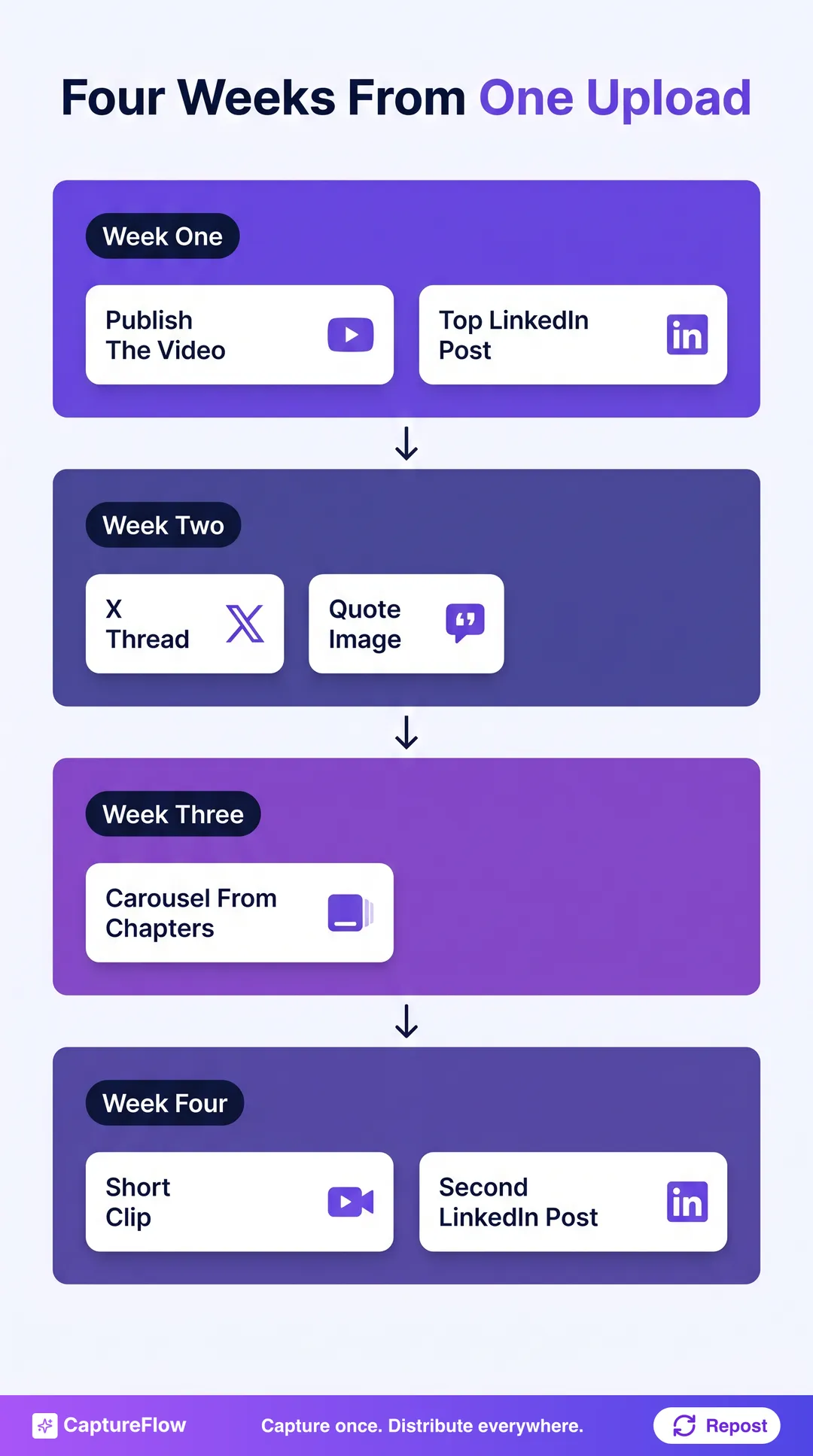 One upload, four weeks. Space the formats out so each one lands as its own moment, not a rerun.
A workable cadence: publish the video and your strongest LinkedIn post in week one, the X thread and a quote image in week two, the carousel in week three, and the Short plus one more LinkedIn post from a different chapter in week four. The exact order matters less than the spacing. This is the same batching principle behind repurposing a podcast episode into a month of posts, and it is what capture once, distribute everywhere actually looks like in a calendar, not just as a slogan.
The honest math, and the 5-minute version
Run all five moves by hand and it works. Pulling the transcript, reading it, marking chapters against it, drafting five or six native posts, designing a carousel and quote images, cutting a Short, and scheduling the spread is realistically 3 to 4 hours per upload. Do it for every video and it becomes a second job, which is exactly why most of that raw material never gets touched past the original upload.
This is where a content agent earns its keep. You drop in the YouTube link, and it pulls the transcript and chapters, mines the standout moments, and drafts LinkedIn posts, an X thread, a carousel, quote images, and a Short, all grounded in your own voice instead of a generic paraphrase. You review the batch, adjust what you want, and schedule the month. About 5 minutes instead of an afternoon, and the same method, not a shortcut around it: the agent is not inventing opinions, it is extracting the ones already sitting in your upload. The same workflow applies to any recording, not just YouTube uploads, in our guide to turning one video into content for every platform.
If you want to see how this fits your flow, see how CaptureFlow works or start a free trial and turn your next YouTube upload into a month of content instead of one link that runs once.
Sources
- Pew Research Center, 5 facts about Americans and YouTube (platform usage among US adults).
- YouTube Help, Tips for video descriptions, Video chapters, and View video transcripts.
Frequently asked questions
How do you repurpose a YouTube video into other content?+
Start from what YouTube already generated for the upload: the transcript, the chapters, and the description. Mine those for a handful of standout moments, then reshape each one natively for LinkedIn, X, a carousel, a quote image, and a Short instead of just re-sharing the same link everywhere.
How many posts can one YouTube video actually produce?+
A focused 15 to 30 minute upload usually yields enough for a month: 4 to 6 LinkedIn posts, an X thread, a carousel built from your chapters, two or three quote images, and one or two Shorts cut from the same footage.
Do you need to re-record for LinkedIn or X, or can you reuse the YouTube upload?+
Reuse it. The video, transcript, chapters, and description you already made for YouTube are the raw material. You are reshaping the same substance natively for each platform, not filming anything again.
What is the fastest way to turn a YouTube video into social posts?+
Feed the transcript into a tool built for exactly that instead of copying paragraphs by hand, or use a content agent that ingests the video directly, mines it for angles, and drafts every format at once in about 5 minutes.
Chris is the founder and CEO of CaptureFlow, which he builds so founders can turn their expertise into content without hiring a team. After 10+ years building products and growing audiences from scratch, he writes about founder-led content, AI, and distribution from inside the problem he is solving: distributing consistent, on-brand content as a team of one.
Founder & CEO of CaptureFlow · 10+ years building products and audiences
One playbook a week from founders who actually create and distribute lots of content. No spam, unsubscribe anytime.
Keep reading
How to Turn One Video Into 10 LinkedIn Posts With AI
You do not need 10 ideas for 10 LinkedIn posts. You need one video and a system to mine it. Here is exactly how to turn a single recording into two weeks of posts.

LinkedIn Marketing for B2B Companies
For B2B, LinkedIn is not one channel among many. It is the channel. Here is how B2B companies actually win on it: the stack, the pillars, and the cadence.
How to Turn Meeting Recordings Into Content
Your best ideas get said out loud in meetings, then vanish. Here is how to turn a single recording into a week of social posts, in about 5 minutes.