How to Turn One Video Into 10 LinkedIn Posts With AI
A repeatable system to turn one 15-minute video into 10 native LinkedIn posts. The 10 angles hiding in every recording, and how to draft them in 5 minutes with AI.

You do not have a LinkedIn idea problem. You have an extraction problem.
You already recorded the thing. The 15-minute founder talk, the podcast episode, the webinar, the Loom you sent a customer. Somewhere in that recording are 10 posts, fully formed, in your own words. Most people post one clip from it and move on, leaving nine posts on the floor. If that recording lives on YouTube, we have a YouTube-specific version of this system that fans one upload out across every platform.
So here is the honest answer to the title: one focused 15-minute video holds about 10 LinkedIn posts, and the only thing standing between you and all 10 is a repeatable system to mine them. This guide is that system, the manual way first so you understand it, then the 5-minute AI version.
I run CaptureFlow, so I have skin in the game. CaptureFlow is an AI content agent that turns your expertise into weeks of on-brand content for every platform. But the method below works with nothing but a transcript and a notes app. The tool just makes it fast.
Why one video is worth 10 posts
A blank page is the enemy. A transcript is the opposite of a blank page.
When you talk for 15 minutes about something you know, you naturally produce far more than one idea. You state a thesis, you argue against a common belief, you tell a story, you name a framework, you drop a number. Each of those is a different post with a different hook, not the same post rewritten. That is the whole trick: you are not stretching one idea into 10, you are surfacing 10 ideas that were already there.
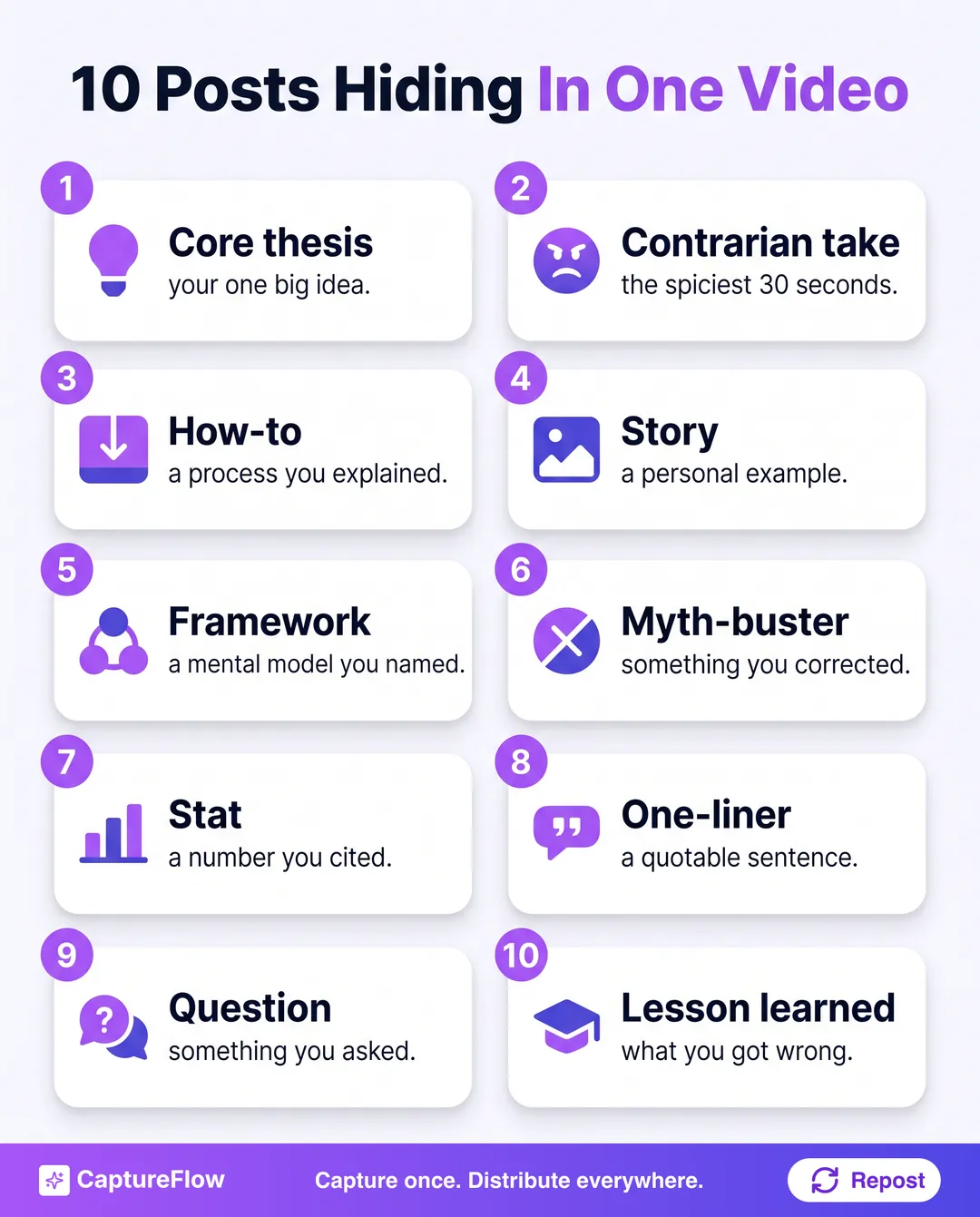 Ten posts, one recording. Each is a different angle on something you already said.
Here are the 10 angles to hunt for in any recording:
- The core thesis. The single biggest idea. The post that says "here is what I actually believe about X."
- The contrarian take. The spiciest 30 seconds, where you disagreed with the common wisdom. These travel furthest.
- The how-to. Any process you explained out loud becomes a numbered, step-by-step post.
- The story. A personal anecdote or a customer example. Narrative posts get read to the end.
- The framework. Any mental model you named, even casually. Give it a label and it becomes shareable.
- The myth-buster. Something you corrected. "Everyone thinks X. It is actually Y."
- The stat. A number you cited becomes a standalone data post with your interpretation.
- The one-liner. A quotable sentence, turned into a short text post or a branded quote graphic.
- The question. Anything you asked out loud becomes an engagement post or poll.
- The lesson learned. What you got wrong once, and what it taught you. Vulnerability plus a takeaway.
You will rarely find all 10 in a 5-minute clip. You will almost always find all 10 in a 15-minute talk where you go deep on one topic. Depth on one subject beats a shallow sweep across five, because each angle needs enough substance to stand alone.
The system: one video to 10 posts in 5 steps
This is the repeatable part. Run it the same way every time and it stops feeling like work.
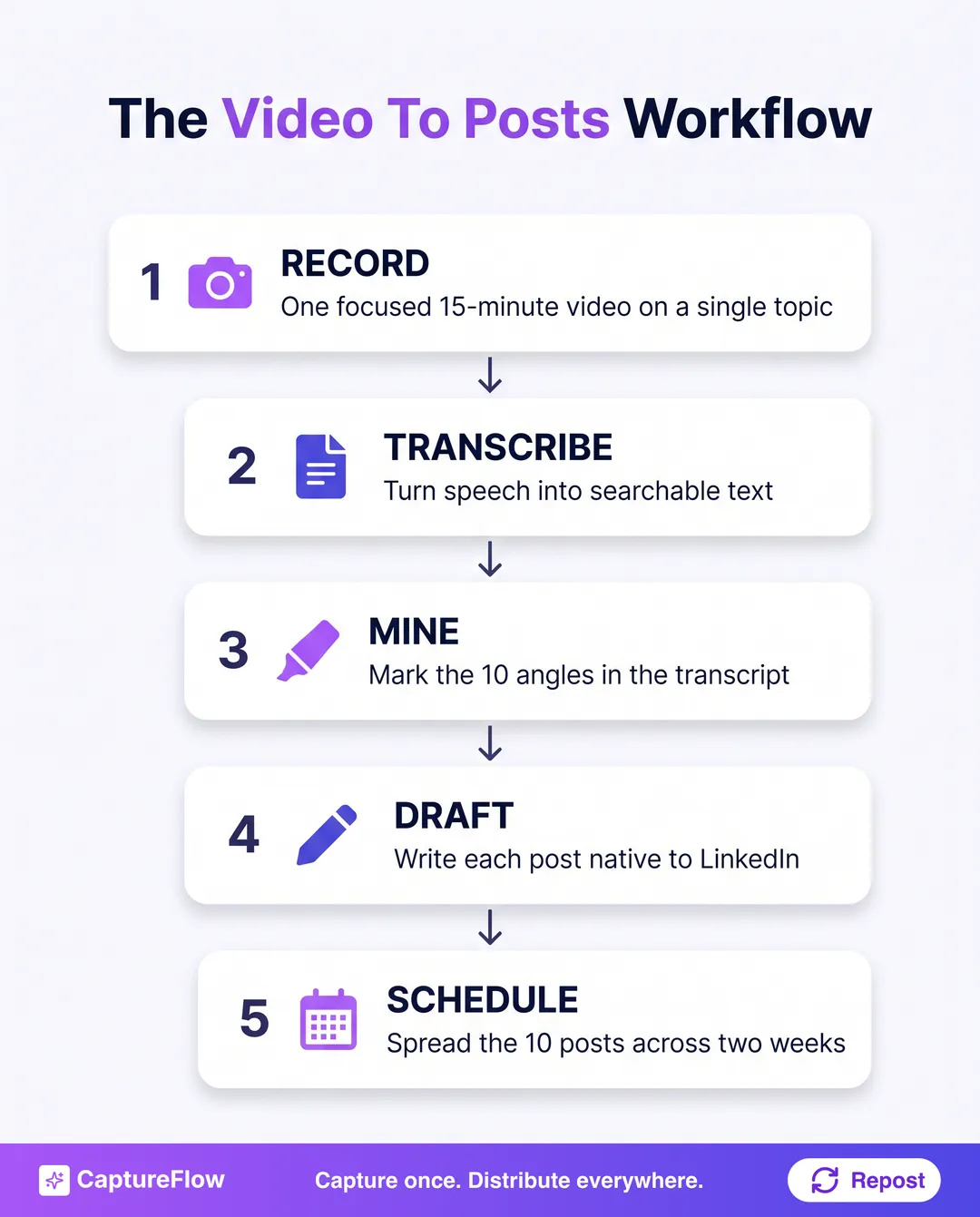 The five-step system. The work is in step 3, mining. Everything else is fast.
Step 1: Start with the right video
Not every recording works. The best source is 10 to 20 minutes of you talking with depth about one topic, a founder monologue, a podcast segment, a conference talk, or a webinar. A 60-second clip does not have 10 posts in it. A rambling two-hour stream has them but buried too deep to be worth mining by hand.
If you are recording on purpose, record to a single prompt: pick one question you get asked a lot and answer it properly for 15 minutes.
Step 2: Transcribe it
You cannot mine audio, you can only mine text. Get a transcript so the whole recording is searchable and skimmable. Any transcription tool works, and most multimodal capture turns the video into clean text automatically.
The transcript is your raw ore. Read it once, top to bottom, before you cut anything.
Step 3: Mine the transcript for the 10 angles
This is the real work, and it is the step people skip. Go through the transcript with the 10-angle list above and tag each moment: this paragraph is the thesis, that sentence is the contrarian take, this is a story, that is a stat.
You are not writing yet. You are marking. By the end you should have 10 highlighted chunks, each labeled with its angle. If you only find six, that is fine, six good posts beats 10 forced ones.
Step 4: Draft each post native to LinkedIn
Now turn each marked chunk into a real post. Native means it reads like it was written for LinkedIn, not pasted from a transcript. That means a strong first line (the hook), one idea per post, short paragraphs, and a clear takeaway. If line one is where you get stuck, steal a structure from our guide on how to write LinkedIn hooks that stop the scroll.
The trap here is the transcript's spoken rhythm. Spoken language rambles. Written posts are tight. Cut the filler, keep the point, and keep your phrasing.
The one ruleKeep your own words. The reason this works is that the raw material is something you actually said. The moment a post starts sounding like a content template, you have thrown away the only advantage repurposing gave you.
Step 5: Schedule across two weeks
Do not dump all 10 posts on Monday. Spread them across 10 to 14 days so one recording quietly fills two weeks of your calendar. Lead with the contrarian take or the thesis, save the stories for mid-week, and let each post breathe. For which slots to queue them into, use the data in our guide to the best time to post on LinkedIn.
A content calendar makes this trivial: queue the 10, set the cadence, and forget about it. And if two weeks from one video feels good, batching a whole month in one afternoon is the same move at scale. That is capture once, distribute everywhere in practice.
The honest math: 2 to 3 hours by hand
Run the manual system and it works. It also takes a while.
Transcribe (a few minutes), read the whole transcript, mark 10 angles, draft 10 posts, edit each one so it sounds like you and not like a transcript, then schedule. Realistically that is 2 to 3 hours of focused work per video. Do it weekly and it is a real commitment, which is exactly why most founders record the video, post one clip, and abandon the other nine posts.
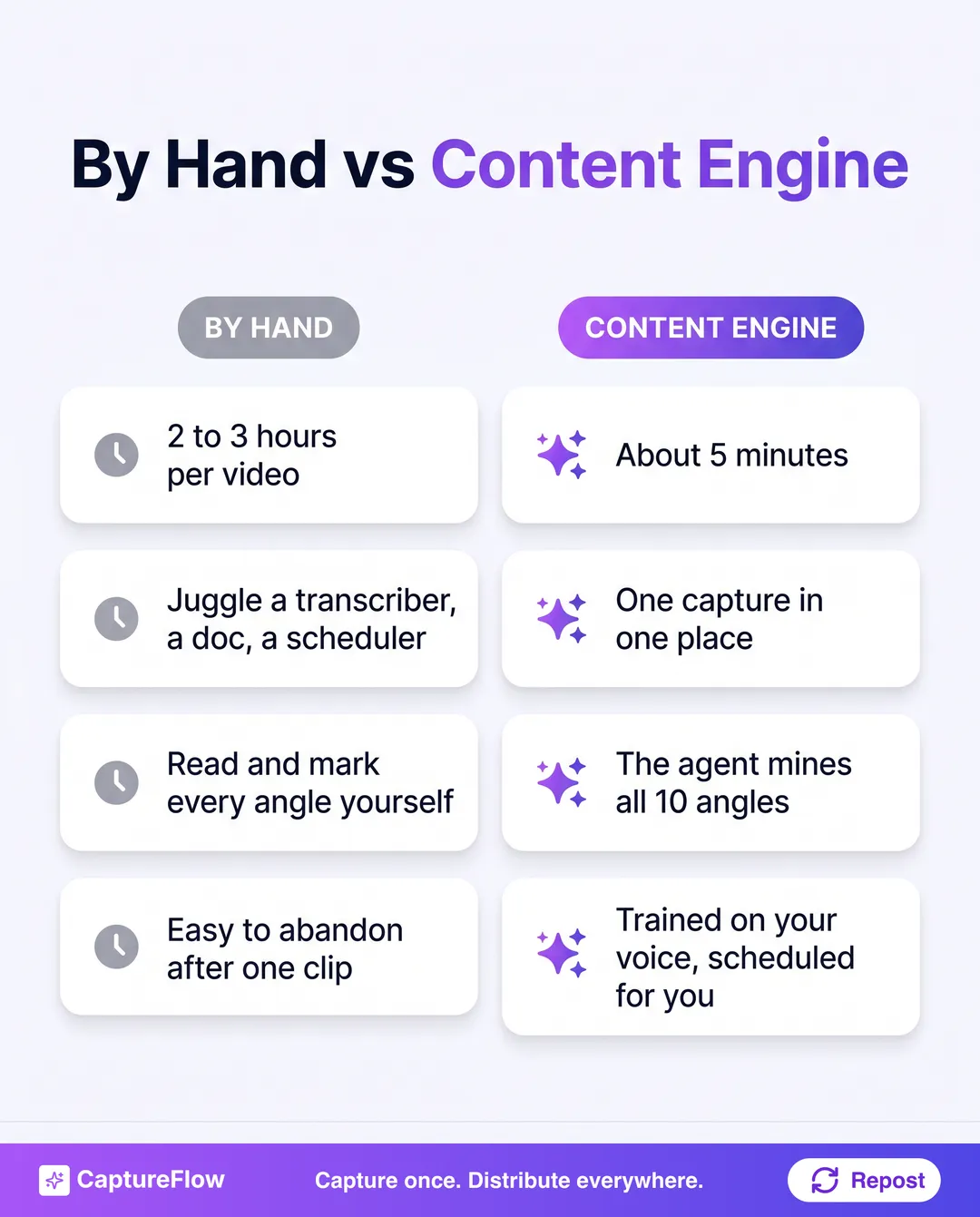 Same 10 posts, same source video. The difference is whether the extraction is manual or automatic.
The 5-minute version with AI
This is where a content agent earns its keep. The steps do not change, the tool just does the slow ones.
You upload the video or drop a link, and CaptureFlow transcribes it, mines the transcript for the 10 angles, and drafts each post native to LinkedIn, in your voice because it is grounded in your knowledge base and phrasing. You review the set, tweak what you want, and schedule the whole batch. Five minutes instead of three hours.
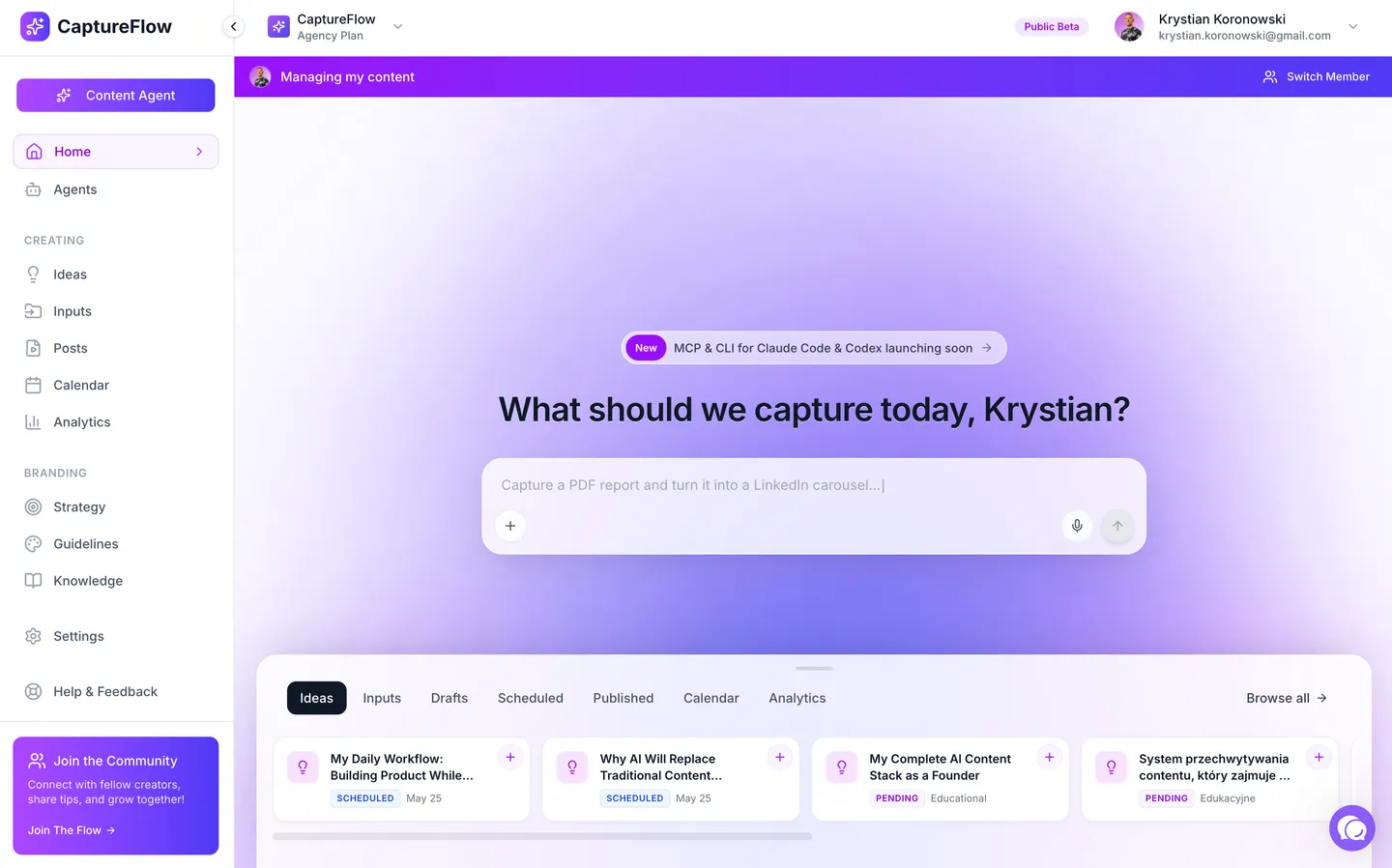 CaptureFlow: drop the video, and the agent drafts the full set of native posts for you to approve.
The important part is that it is the same method. The AI is not inventing opinions, it is extracting the ones you already recorded. Turning one video into posts is really just one branch of a wider content repurposing strategy that mines podcasts, talks, and single ideas the same way. And because the same recording can also become an X thread, a carousel, or a short clip, the 10 LinkedIn posts are just the start. For the full picture, here is how to turn one video into content for every platform, not just LinkedIn. Any one of those angles can even be rebuilt as a scroll-stopping LinkedIn carousel that earns extra dwell time in the feed. If you want to compare the tools that do this, we ranked them in the best AI content repurposing tools and best AI LinkedIn content tools guides.
If you only change one habit this week, change the source. Stop trying to think of 10 LinkedIn posts on 10 separate mornings. Record one 15-minute video on a topic you know cold, and mine it. The ideas are already in your head, you just have to say them out loud once.
Start with your next recording
You do not need more ideas. You need to stop wasting the ones you already record.
Pick one question you get asked constantly, record a focused 15-minute answer, and run the five steps. If you want the 5-minute version instead of the three-hour one, see how the content engine works or start a free trial and turn your next video into two weeks of LinkedIn posts.
Frequently asked questions
How many LinkedIn posts can you really get from one video?+
Around 10 from a focused 15-minute video, more from a long podcast or webinar. Each distinct idea, story, framework, or stat you mention is its own post. The limit is usually your extraction system, not the raw material.
Does repurposing one video into many posts hurt reach?+
No, as long as each post stands on its own with a different angle and hook. You are not copy-pasting the same post, you are surfacing 10 different ideas that happened to live in one recording.
How long does it take to turn a video into 10 posts?+
By hand, 2 to 3 hours: transcribe, read, mark angles, draft, and edit each post. With a content agent trained on your voice it is about 5 minutes to a full draft set you then approve.
Will AI-written posts still sound like me?+
They will if the tool starts from your own words and is grounded in your voice. The raw material is something you already said on camera, so the substance is yours. The risk is generic tools that reformat mechanically and flatten your phrasing.
Chris is the founder and CEO of CaptureFlow, which he builds so founders can turn their expertise into content without hiring a team. After 10+ years building products and growing audiences from scratch, he writes about founder-led content, AI, and distribution from inside the problem he is solving: distributing consistent, on-brand content as a team of one.
Founder & CEO of CaptureFlow · 10+ years building products and audiences
One playbook a week from founders who actually create and distribute lots of content. No spam, unsubscribe anytime.
Keep reading
How to Turn One YouTube Video Into a Month of Content
Your YouTube upload already comes with a transcript, chapters, and a description built for search. Here is the system to mine all three into a month of posts across every platform.

Employee Advocacy Tools vs Letting Employees Post on Their Own
Do you need an employee advocacy platform, or is letting employees post on their own better? The honest answer depends on your size, and mostly on adoption.

Employee Advocacy Content Ideas: What Your Team Should Post on LinkedIn
Your team is willing to post, they just do not know what to say. Here is the content employees should share on LinkedIn, and how to make it take 5 minutes.